Best practice
Voice AI design: best practices for assistants people can interrupt
How to design voice AI people can talk to naturally: let them interrupt, show its state on screen and light, keep answers short and read back before acting.
· 13 min read · Musab Alfawal
On this page
A voice AI assistant is software you talk to out loud and that answers out loud, using a large language model to work out what you mean rather than matching a fixed list of commands. Older assistants waited for a command, ran it and went quiet. The new ones hold a conversation: you can ask a follow-up, change your mind halfway through a sentence, or ask why.
That is now how the big assistants work. In July 2026 OpenAI made GPT-Live, a voice model that can listen and speak at the same time, the default voice in ChatGPT. Apple’s Siri AI arrived, in beta, with iOS 27 in September. Amazon has been rolling Alexa+ out beyond the US this year, including in the UK since March, and Gemini Live lets you cut in while it is talking. The same kind of voice agent now answers customer-service phone lines.
A voice that sounds human raises the bar. People talk to it the way they talk to a person, and expect it to keep up. They also can’t scroll back through speech: once a sentence is said, it’s gone. This guide covers the conversation and the device it runs on, including the light, the small screen and the mute switch, using a made-up kitchen display that is helping someone bake banana bread.
Why voice is harder than a screen
On a screen, people can skim, scroll back and see every option at once. Speech arrives one word at a time, at the speaker’s pace, and then it’s gone. Anything people missed, they have to ask for again.
Timing matters more, too. In conversation, the gap between one person finishing and the next starting is typically around 200 milliseconds, as Levinson and Torreira set out in a 2015 review in Frontiers in Psychology. A 2009 study by Stivers and colleagues found the same avoidance of long silences and of talking over each other across ten languages. A voice that sounds human gets judged against that timing.
And people are rarely only talking. In a kitchen they have flour on their hands and the extractor fan on. In a car their eyes are on the road. Design for someone half paying attention, a few metres away, in a noisy room.
Stop talking the moment someone interrupts
Barge-in, when a person starts speaking while the assistant is still talking, is the most important behaviour in a conversational voice interface. When it happens, stop at once, mid-word if need be, and listen. Don’t finish the sentence first. Every word after the person starts talking tells them they weren’t heard.
The big assistants have made this normal. Google’s help page for Gemini Live says you can interrupt it by talking, and that if you turn that setting off you can still interrupt by tapping the screen. OpenAI says GPT-Live listens while it speaks, so you can cut in with a question or ask it to slow down. People now expect the same everywhere.
Keep a quiet way to interrupt as well, such as a tap on the screen or a press on the device. Nobody should have to shout over it.
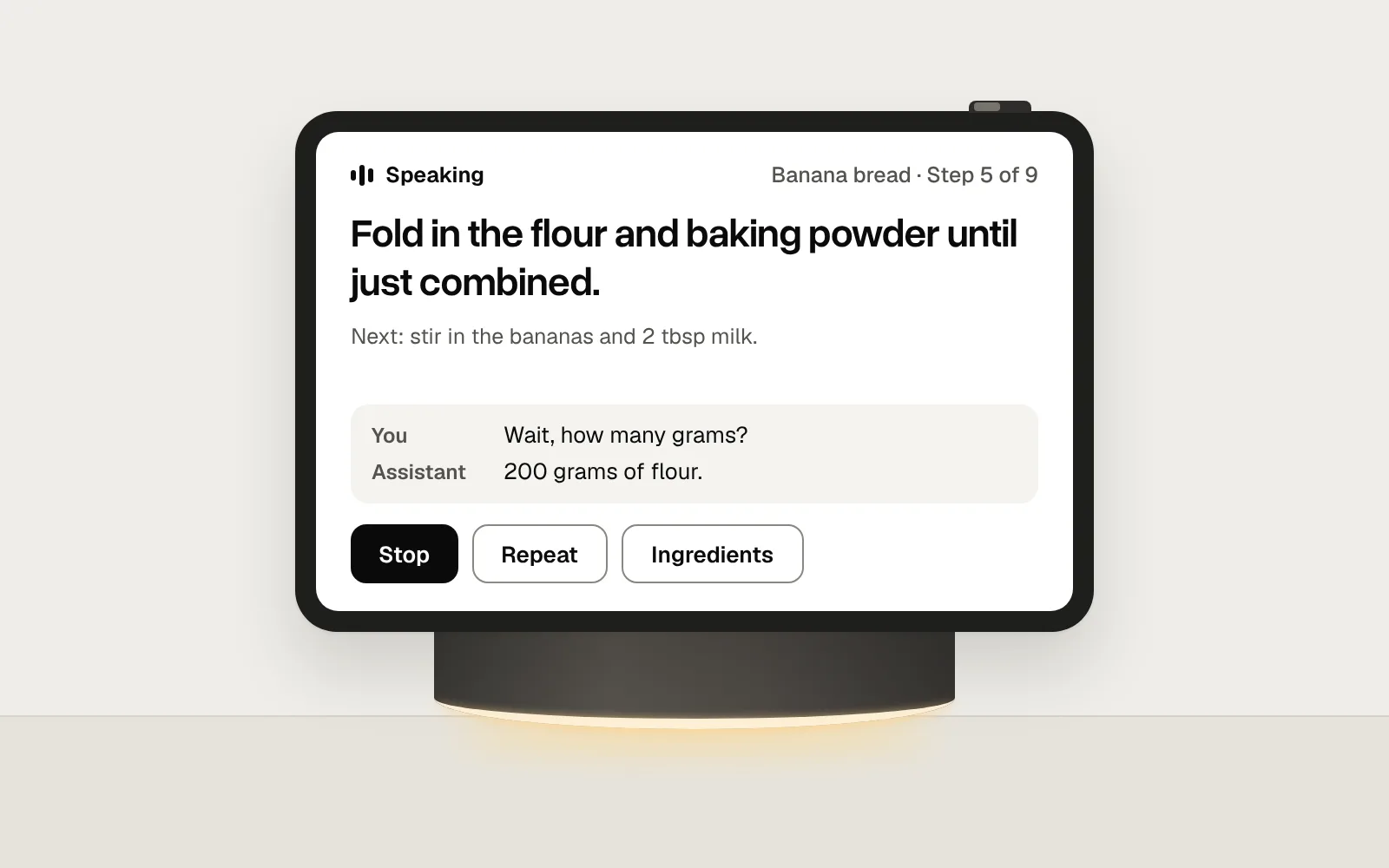
Then remember where it stopped. “Wait, how many grams?” is a question about the step, not a request to abandon it. Answer the one thing, then carry on from where it was.
The trade-off is sensitivity. Too eager, and a dropped lid stops it mid-step. Too reluctant, and people have to raise their voice. Treat a short “mm-hmm” as someone listening, not as an interruption.
Always show what it is doing
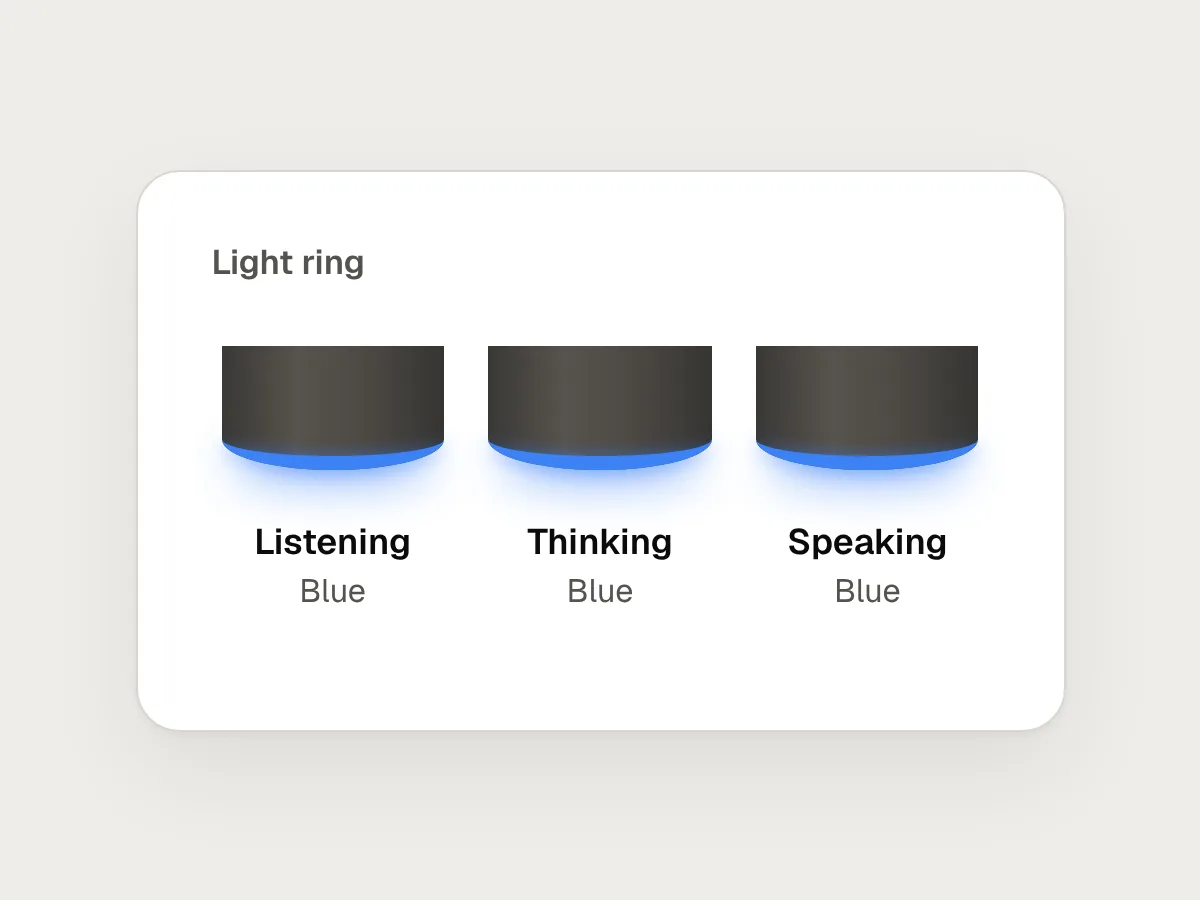
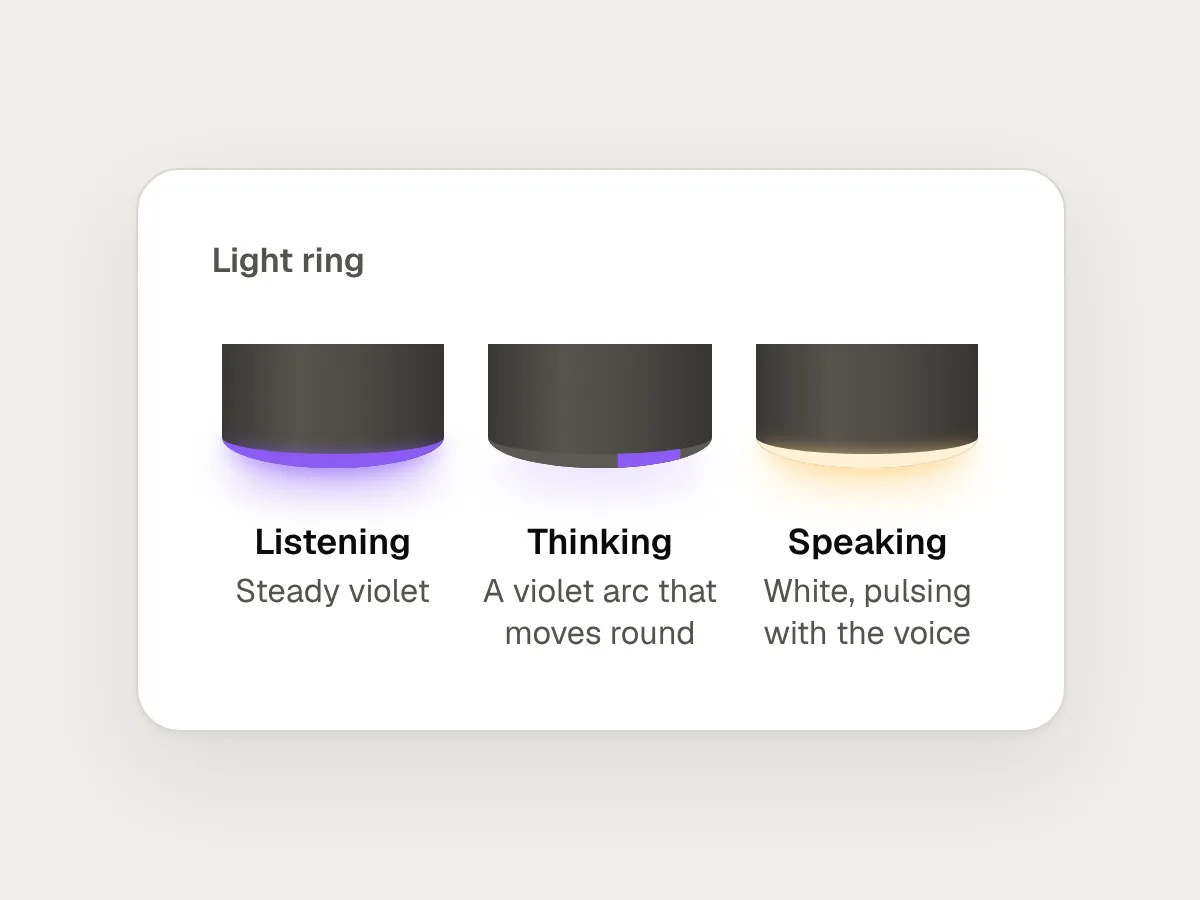
A voice assistant has four states that matter: listening, thinking, speaking and muted. People need to know which one it is in at a glance, from across the room, so show it twice: in words on the screen, and on the device’s light.
On the light, use more than colour. Colour alone fails for people with colour blindness and in odd lighting, and people won’t learn many meanings without a legend. Give each state its own movement as well: a steady ring for listening, an arc that moves round for thinking, a soft pulse that follows the voice while speaking, and solid red when the microphone is off. Amazon’s Echo speakers, for example, show a solid red light when the microphone is off.
Where nobody can look, such as in a car or on a phone line, play a short sound when it starts and stops listening, and keep it the same every time.
Here is the whole loop: the assistant is reading a step, the person cuts in, the light changes from speaking to listening, the screen shows what it heard, and it answers just that.
Answer short, then offer more
Say the least that answers the question, then offer the rest. Amazon’s Alexa design guide asks for responses that can be spoken in one or two breaths, with only a few options at a time. “Want the full recipe?” takes two seconds. Reading the recipe to someone who wanted the oven temperature takes two minutes.
Lists are where this goes wrong most often. Say how many items there are before you start, which Amazon’s guide also recommends, so people know how long to listen. Amazon says up to five short, distinct items can usually be followed as one list, and that longer items are better read one at a time. Three is a safer place to stop: “You need 8 things. The first three are 3 ripe bananas, 100 g soft butter and 140 g caster sugar. Want the next three?”
Recipe steps and directions are always long items: read one, then wait for “next”. Anything hard to remember by ear, such as a phone number, belongs on a screen too. Amazon suggests sending it to the Alexa app.
Be fast, and say so when you can’t be
Nielsen Norman Group’s guidance on response times puts the limit for keeping someone’s flow of thought at about one second, and says anything slower should show that the system is working. In conversation people are even less patient. The conversation analyst Gail Jefferson described a “standard maximum” silence of about one second, after which a pause starts to feel like a problem.
So start answering quickly. If the answer will take longer than a second, say so in a few words straight away: “Converting that to cups, one moment.” Switch the light and the screen to thinking at the same instant. Don’t fill the gap with a recorded “hmm” or a breath: it makes the wait feel longer the second time, and it pretends there is a person there.
The other half of speed is knowing when someone has finished. Wait for a long silence and it feels slow. Jump in at every pause and it cuts people off. OpenAI made this point when it launched GPT-Live: turn detection based on silence meant a brief pause or background noise could be mistaken for the end of a turn. Let people pause to think, especially before numbers.
Read back before you act, and confirm what you did
Mishearing is normal in a kitchen. Fifteen and fifty sound alike over a running tap. So before acting on anything that matters, read back the part that matters and wait for a yes.
Google’s conversation design guidelines, written for Assistant apps it retired in 2023, are still one of the clearest guides to spoken dialogue. They separate two kinds of confirmation. An explicit one asks for a yes or no, and is for actions that are hard to undo, such as deleting data or completing a purchase. An implicit one repeats the detail as it goes, so people can correct it without being asked.
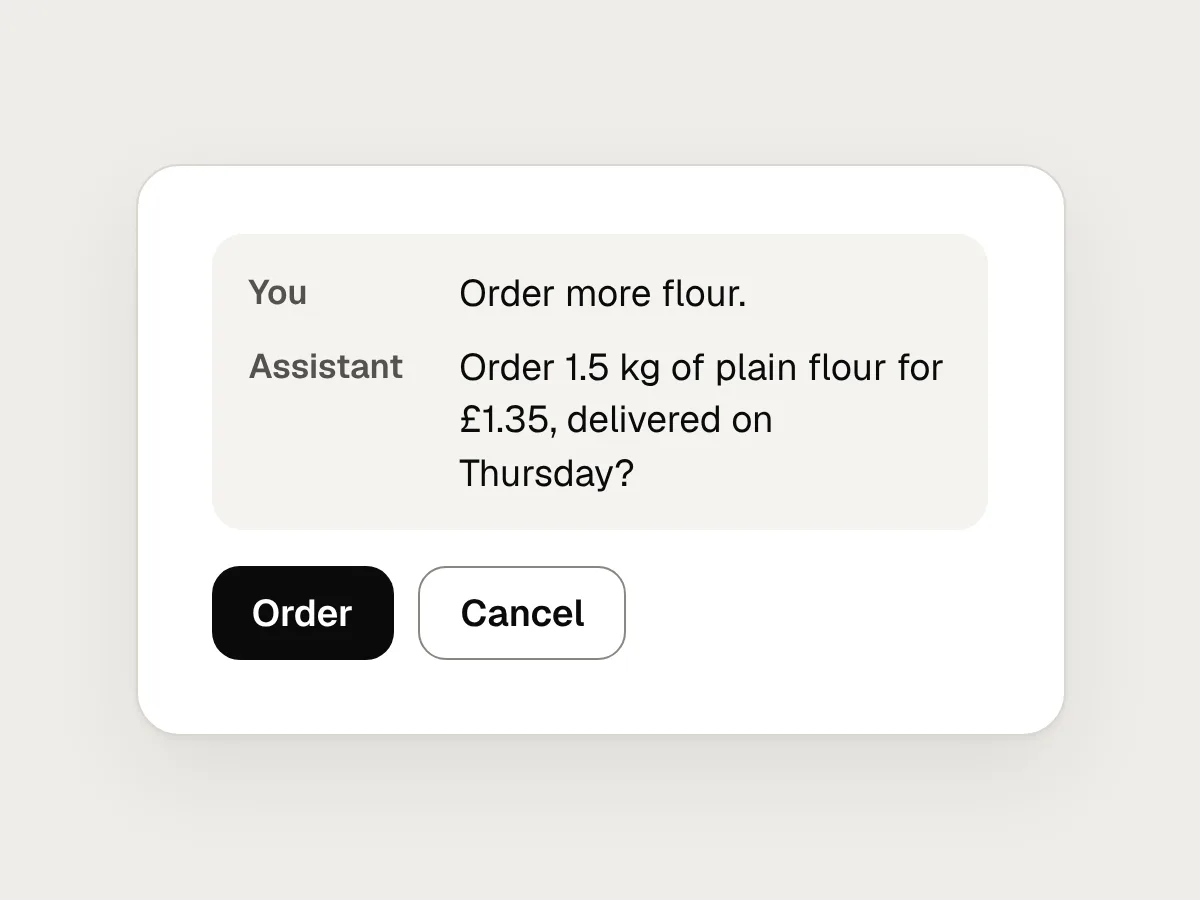
Use the explicit kind for anything that costs money, can’t be undone or contacts someone: “Order 1.5 kg of plain flour for £1.35, delivered on Thursday?” Use the implicit kind for the rest: “Twelve minutes, starting now.” When the speech recogniser isn’t sure, ask about the part it isn’t sure of: “Was that 15 minutes, or 50?”
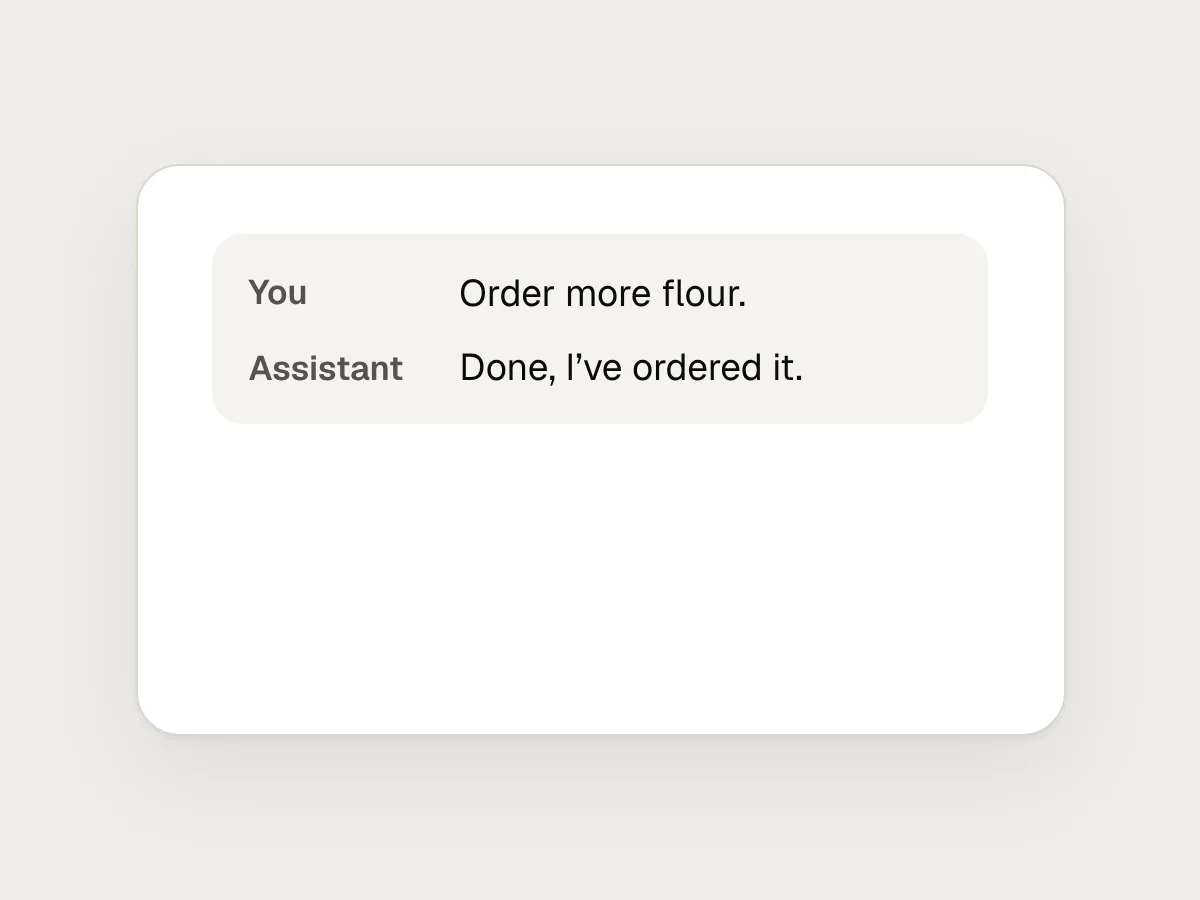
After acting, say what you did, with the detail needed to check it. “Done” isn’t enough. “Timer set for 12 minutes. It goes off at 18:42.” lets someone catch a mistake while it still matters.
Show what it heard, where there is a screen
A transcript turns an invisible error into a visible one. If the screen says “Set a timer for 50 minutes” when the person meant fifteen, they can fix it with a word or a tap before the cake burns. Show the words as they are recognised, so people can see it hearing them.
The screen should also do what speech can’t: hold things still. Show the current step large enough to read from across the kitchen, how far through the recipe it is, and a Stop button that is always there.
Here is the same moment, the assistant reading a banana bread recipe aloud, designed two ways.
Before
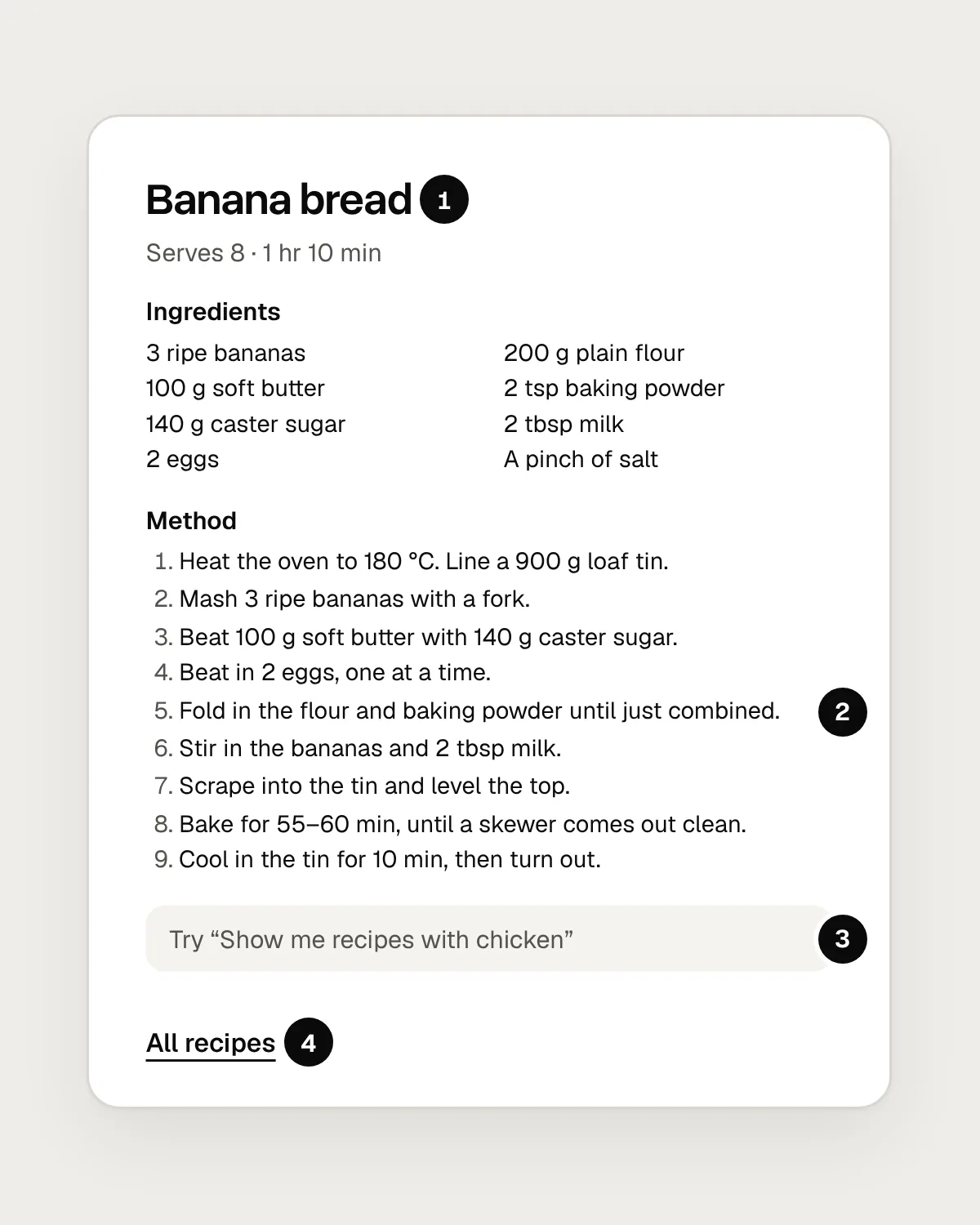
- Nothing says whether it is speaking, listening or finished.
- All nine steps at once, in small text, with nothing to show which one it is reading.
- A tip about something else, where what it heard should be.
- No Stop button. The only way to stop it is to talk over it.
After
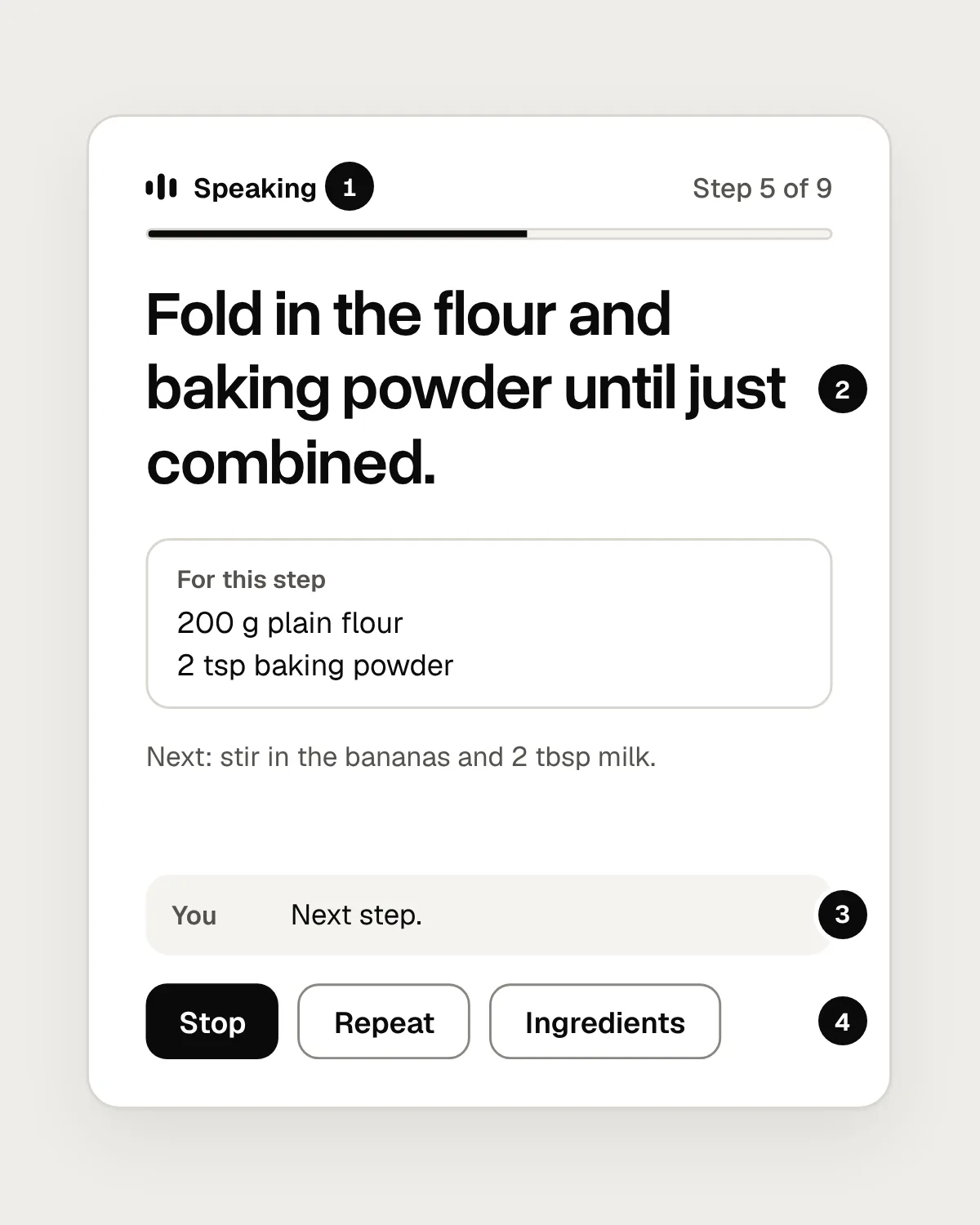
- What it is doing now, in words, matching the light ring.
- The step it is reading, large enough to read from across the room, and how far through the recipe it is.
- What it heard you say, so a mishearing is easy to spot.
- Stop, always on screen, with Repeat and the full ingredients beside it.
Recover from silence, noise and “sorry, what?”
Things go wrong in ordinary ways. The person walks off mid-question, the mixer drowns them out, or they didn’t catch what was said. None of this should send them back to the start.
Google’s guidelines treat two of these as separate errors: no input, when the assistant heard nothing, and no match, when it heard something it couldn’t understand. Either way, the next prompt should add help, such as options or an example of what to say, rather than repeat itself. After two or three failed tries, stop asking.
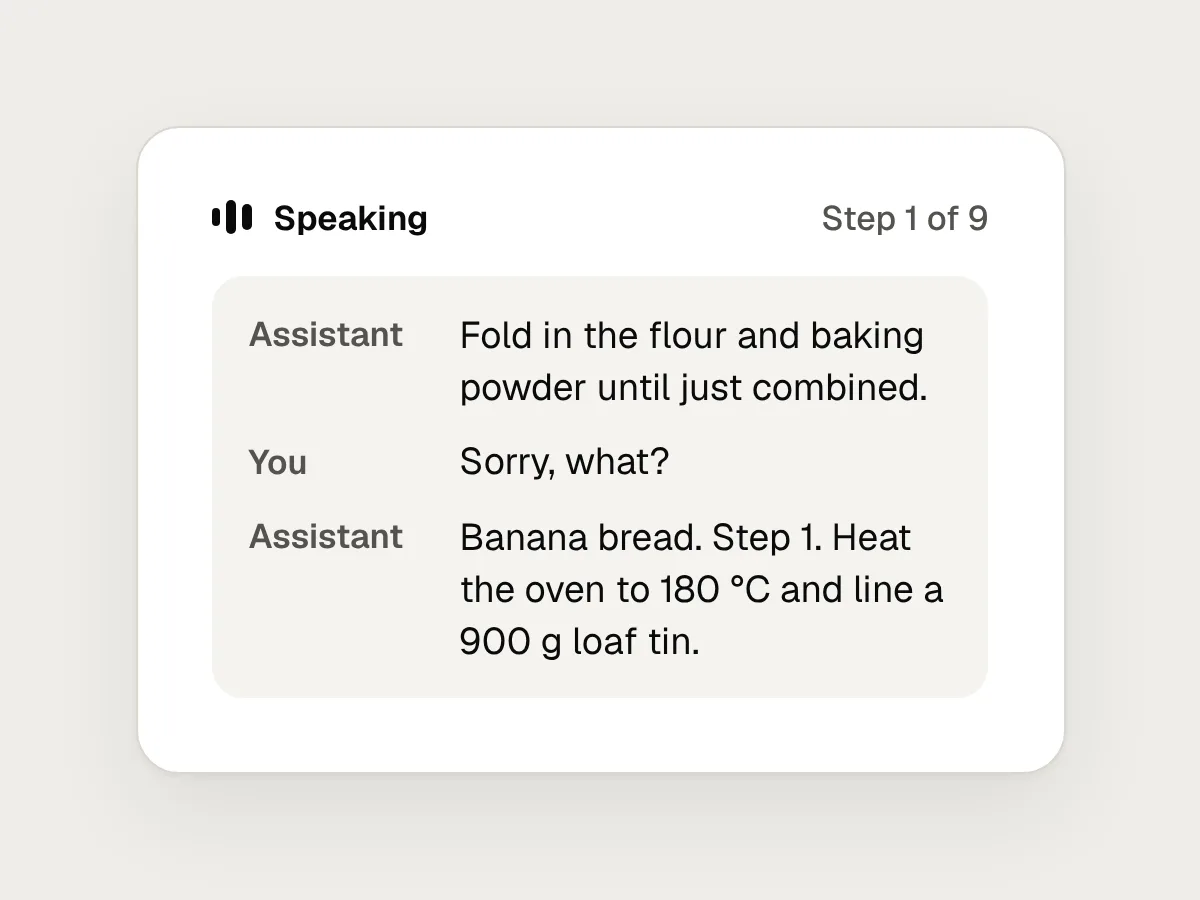
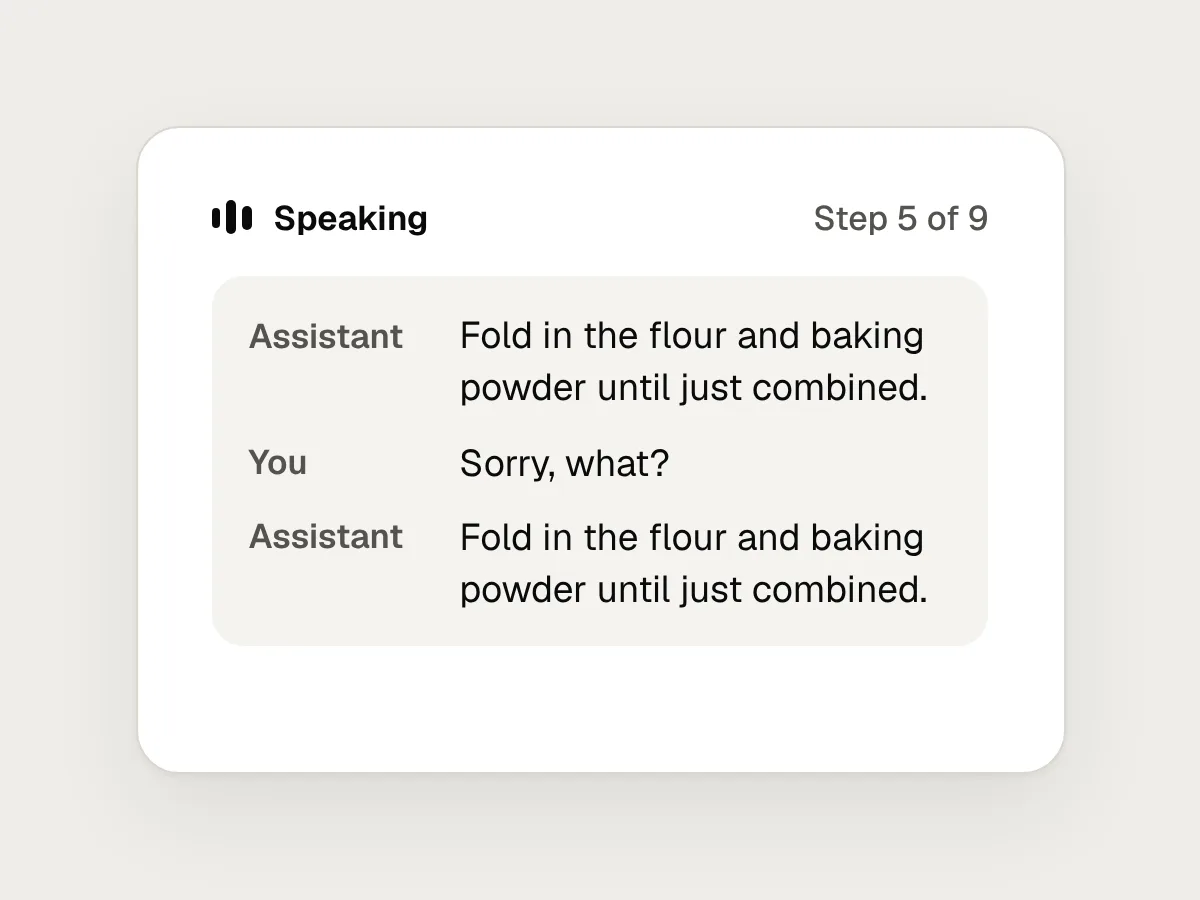
Stopping should never mean losing the place: if nobody answers, wait quietly on the current step. When someone says “sorry, what?”, repeat the last thing you said, a little slower. Not the whole answer, and never the whole recipe. “Go back” means one step back. If part of a sentence was lost in the noise, ask about that part: “How many minutes?”
Make it easy to stop it listening
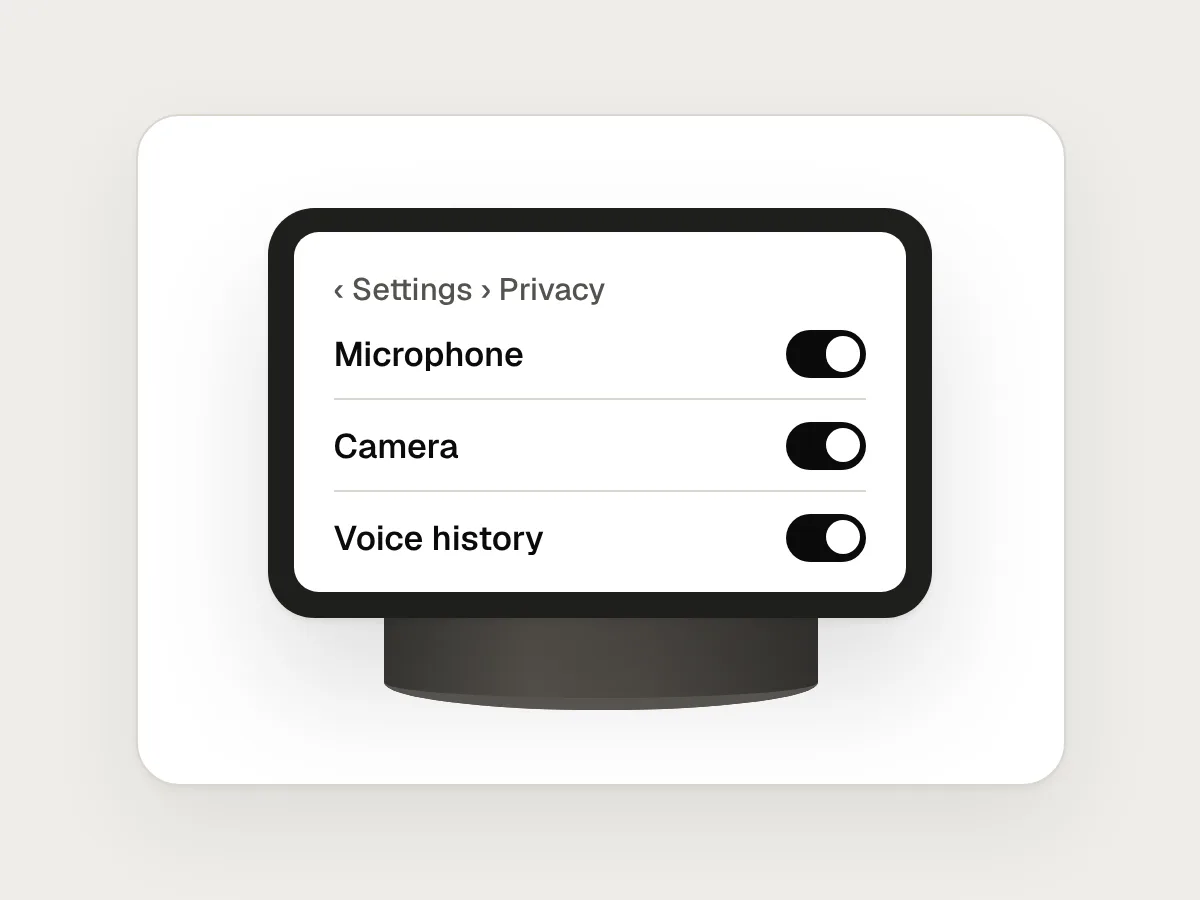
Give people a physical way to stop it listening: a switch on the device itself, not a toggle three menus deep in an app. A slide switch is better than a button, because people can see and feel its position.
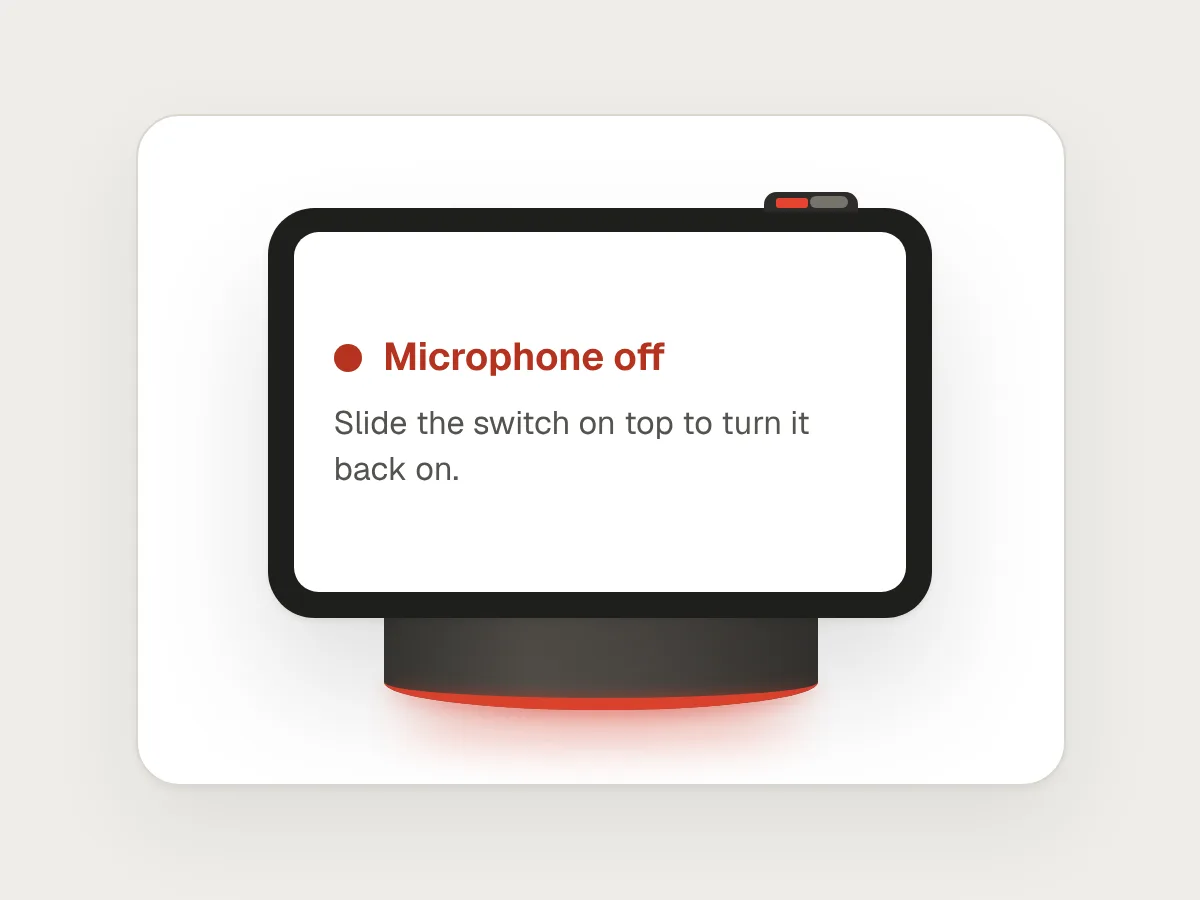
When the microphone is off, show it everywhere at once: the switch position, a steady red light and words on the screen. Tell people how to turn it back on.
Be plain about what is kept. If recordings or transcripts are saved, say so, say for how long, and let people delete them by voice and on screen. While anything is being recorded, such as a voice note or a call, show it the whole time, not only when it starts.
Say it’s an AI, and don’t pretend to be human
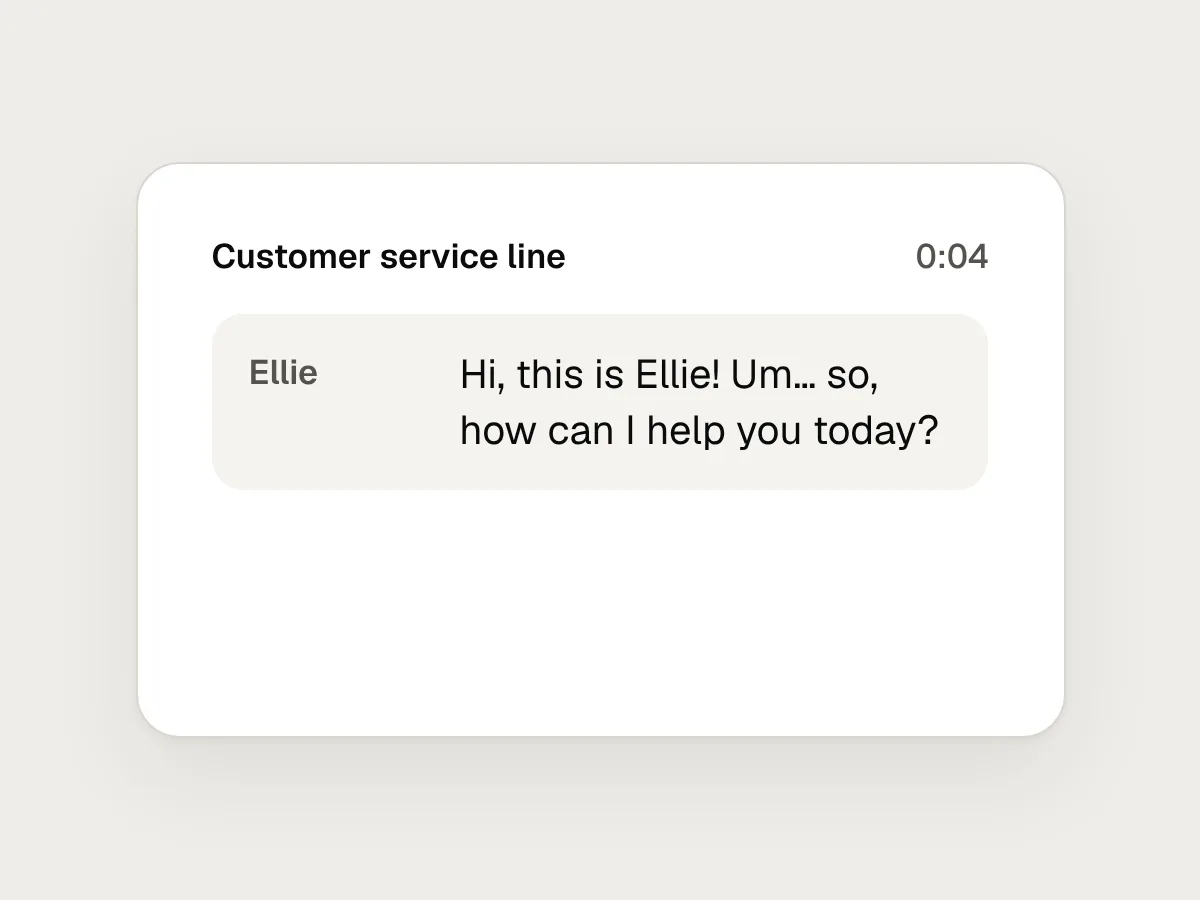
A natural voice is good design. A voice that pretends to be a person is not. In 2018 Google demonstrated Duplex, a system that phoned a hair salon to book an appointment, complete with “um” and “mm-hmm”. The backlash was quick, and within days Google said Duplex would identify itself on calls.
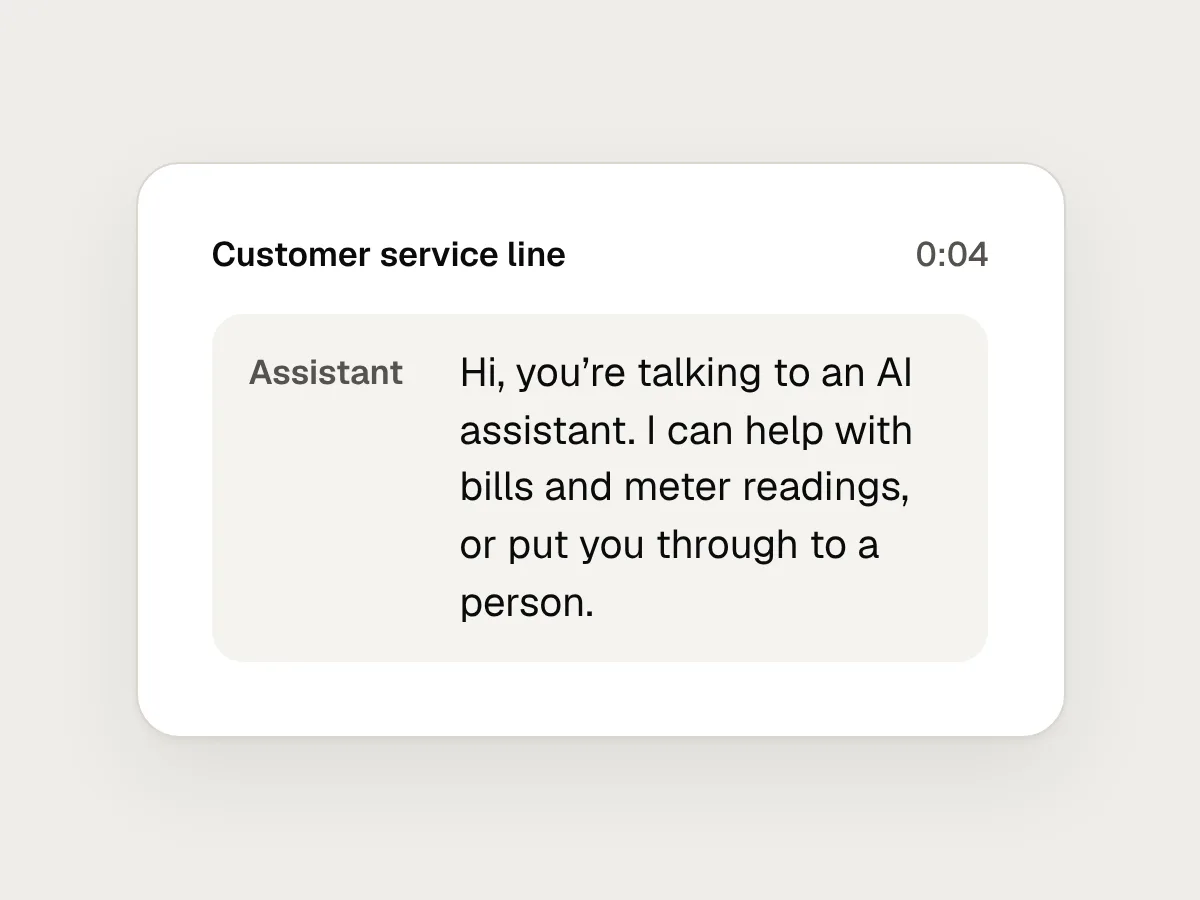
Say what it is in the first sentence, especially on a phone line, where a natural voice can easily pass for a person: “Hi, you’re talking to an AI assistant. I can help with bills and meter readings, or put you through to a person.” Natural pacing and a warm tone are fine. A human name, breathing sounds and an added “um” are not.
In the EU this is now law as well as good practice. Article 50 of the AI Act, which has applied since 2 August 2026, says providers must design AI systems that interact directly with people so that those people are told they are dealing with an AI, unless that is obvious to a reasonably well-informed, observant and circumspect person in the circumstances.
Mistakes, and what to do instead
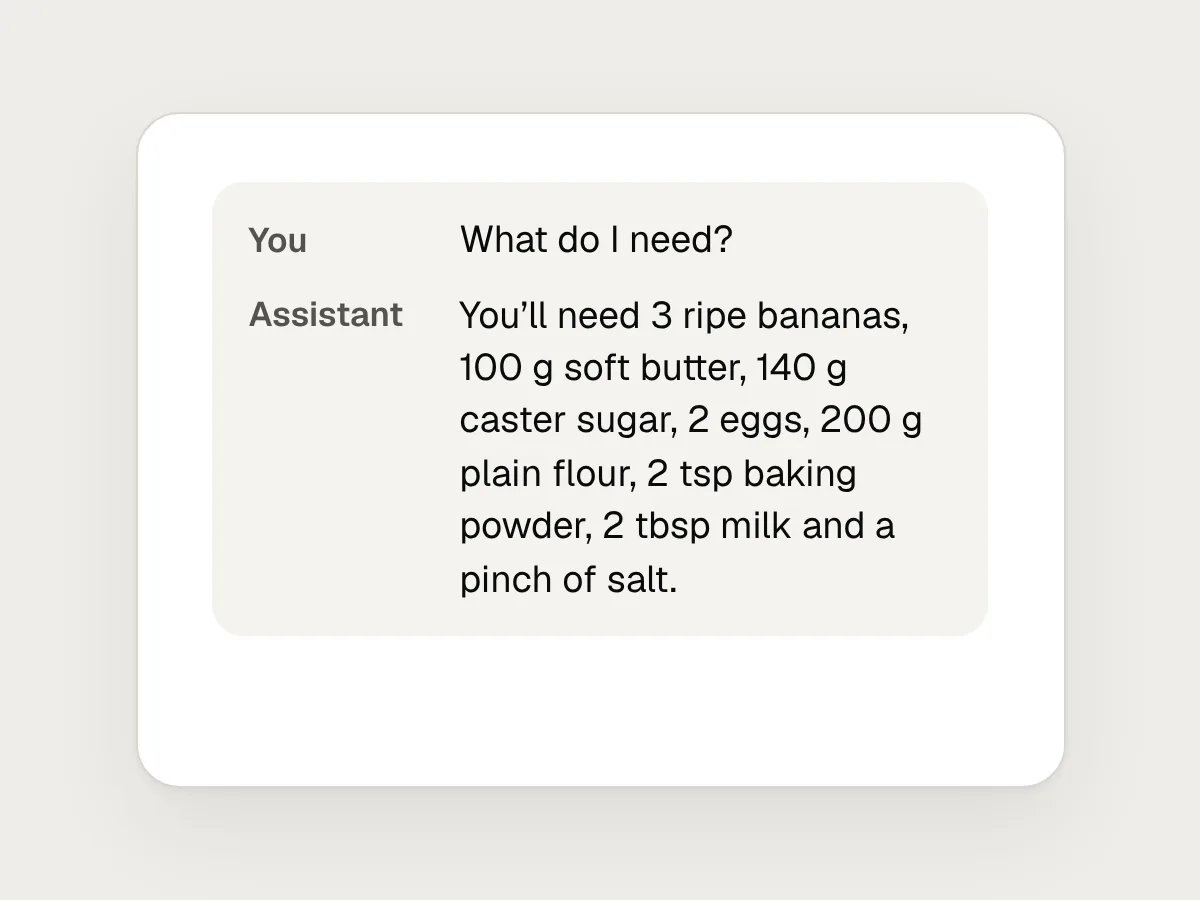
Don’t
Reading a long list aloud in one go.
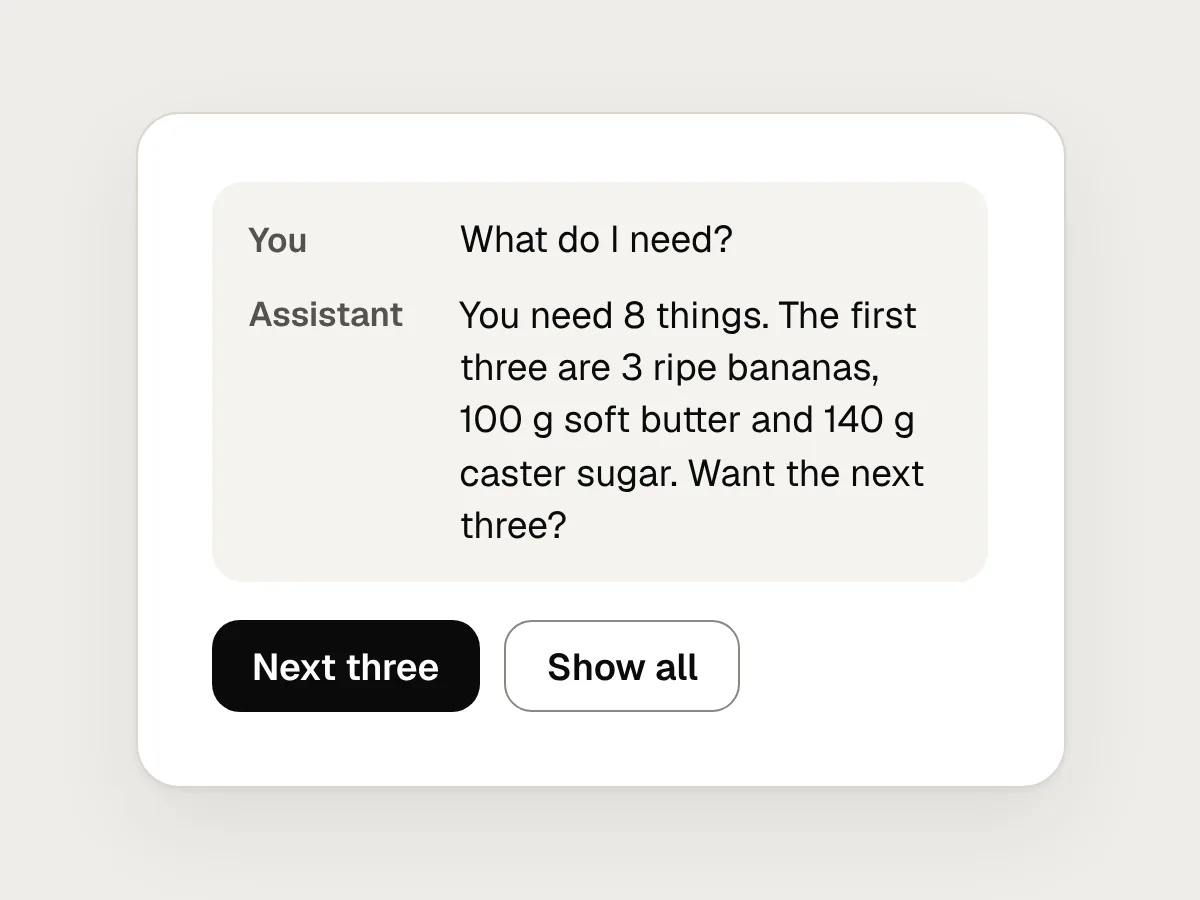
Do
Say how many there are, read three, and offer the rest.
Don’t
A light that looks the same whether it is listening, thinking or speaking.
Do
Give each state its own colour and movement, so it can be read from across the room.
Don’t
Acting on something that matters without reading it back.
Do
Read back the item, the amount and the price, and wait for a yes.
Don’t
Starting over when someone says “Sorry, what?”
Do
Repeat the last sentence, not the whole recipe.
Don’t
Hiding the microphone switch in a settings menu.
Do
Put a physical switch on the device, with a red light and a message on screen.
Don’t
A human name, a fake “um” and no sign that it is an AI.
Do
Say it is an AI in the first sentence, and what it can help with.
Before you ship: a checklist
Questions people ask
What is barge-in in voice design?
Barge-in is when someone starts talking while a voice assistant is still speaking. A good assistant stops at once, listens, answers what was said, and then carries on from where it was. Without it, people have to wait for the assistant to finish before they can correct it.
How fast should a voice assistant respond?
As close to conversational timing as you can manage. Gaps between turns in human conversation are typically around 200 milliseconds, and a silence of about a second starts to feel like a problem. If an answer will take longer, say a few words straight away and show the thinking state on the light and the screen.
How many items can a voice assistant read out in a list?
Fewer than you would show on a screen. Amazon’s Alexa guidance says up to five short, distinct items can usually be followed, and that longer items are better read one at a time. Say how many there are first, read three, and offer the rest.
Does a voice assistant have to say it is an AI?
In the EU, Article 50 of the AI Act has required it since 2 August 2026 for AI systems that interact directly with people, unless it is obvious from the context. Rules elsewhere vary. Either way, saying so in the first sentence costs a few words and saves people from feeling misled later.
Should a voice assistant sound human?
It should sound natural: clear, warm and well paced. It shouldn’t pretend to be a person, with a human name, fake breaths or added hesitations. Natural is about being easy to listen to, not about passing for a person.
Resources
- Timing in turn-taking and its implications for processing models of language · Frontiers in Psychology
Levinson and Torreira on how short the gaps between turns are, and what that asks of a listener.
- Be brief · Amazon Alexa design guide
Responses short enough to say in a breath or two, and a few options at a time.
- Lists · Amazon Alexa design guide
How many items people can follow by ear, and how to introduce a list.
- Confirmations · Google conversation design guidelines
When to ask for a yes, and when to repeat a detail and move on.
- Response times: the 3 important limits · Nielsen Norman Group
Why about one second is the limit for keeping someone’s flow of thought.
- Talk naturally with Gemini Live · Google Gemini Help
How one assistant in use today lets people interrupt by voice or by tapping the screen.
If this was useful, share it with someone it would help.