Best practice
Labelling AI features and content: beyond the sparkle icon
How to label AI features so people know what they do, and AI-generated content so people understand it, from the sparkle icon to the EU AI Act.
· 12 min read · Musab Alfawal
On this page
Labelling AI covers two different jobs. The first is naming the features that use AI, so people know what a button will do before they press it. The second is disclosing which content was made or changed by AI, so people know what they are reading, looking at or about to send. Many products answer both with the same thing: a sparkle icon or a small “AI” badge.
That does neither job well. A sparkle says AI is involved somewhere, not what will happen when you press it. A badge on a paragraph says AI touched it, not whether it wrote every word or fixed one comma, or whether anyone checked it. So people guess, and guessing is how a useful feature goes unused and how an invented delivery date goes out in an email.
The rules have caught up too. In the EU, the transparency duties in Article 50 of the AI Act have applied since 2 August 2026, and the European Commission has published guidelines and a Code of Practice on how to meet them. This guide covers how to name AI features, how to label AI text and images, what the law asks for, and how to keep labels useful rather than loud.
Name the feature by what it does
A button should say what it will do to the person’s work: “Summarise thread”, “Suggest reply”, “Remove background”, “Translate to French”. That AI does the work is secondary.
People come to a product to get something done, not to use AI. A name that describes the result tells them when the feature is useful: “Summarise thread” is obviously for the 40-message thread they have just been copied into. A name like “AI assist” or “Magic” could mean anything, so people either ignore it or try it once and get a surprise.
The sparkle doesn’t fix this. In a 2024 article, Nielsen Norman Group calls it the de facto symbol for AI, and reports that many people shown the icon on its own weren’t sure what it meant. It also looks enough like a star that some people read it as save or favourite. A row of identical sparkles is worse than one, because every button looks like the same action and the only way to find out is to press each one.
Keep the sparkle as a hint, not a label
If you use a sparkle, or any other mark for AI, put it next to words, never in place of them. Red Hat’s PatternFly design system has the same rule: a sparkle always comes with text.
Next to a clear name, the icon does a small, useful job. It helps people who have learned it spot the AI features, and it hints that the result may need checking. On its own, it names nothing. A screen reader user hears whatever its accessible name happens to be, which is often “sparkle”, “AI” or just “button”.
Give the mark one meaning, “this action uses AI”, and keep to it. Don’t also use it for new features, paid features or celebrations. And don’t give AI features their own colours and gradients so they shout over the rest of the toolbar. A feature that does something useful doesn’t need to glow.
Label content where people see it
Put the label on the content, where someone reads it or acts on it: a line under the draft, a caption on the image, a heading on the summary. A disclaimer in the footer or the terms of service is not a label.
People judge content as they read it. If the label is at the bottom of the window, it doesn’t reach the person deciding whether to trust a sentence. The EU AI Act makes the same point about the disclosures it requires: they must be clear and distinguishable, and given at the latest when someone first interacts with the system or first sees the content.
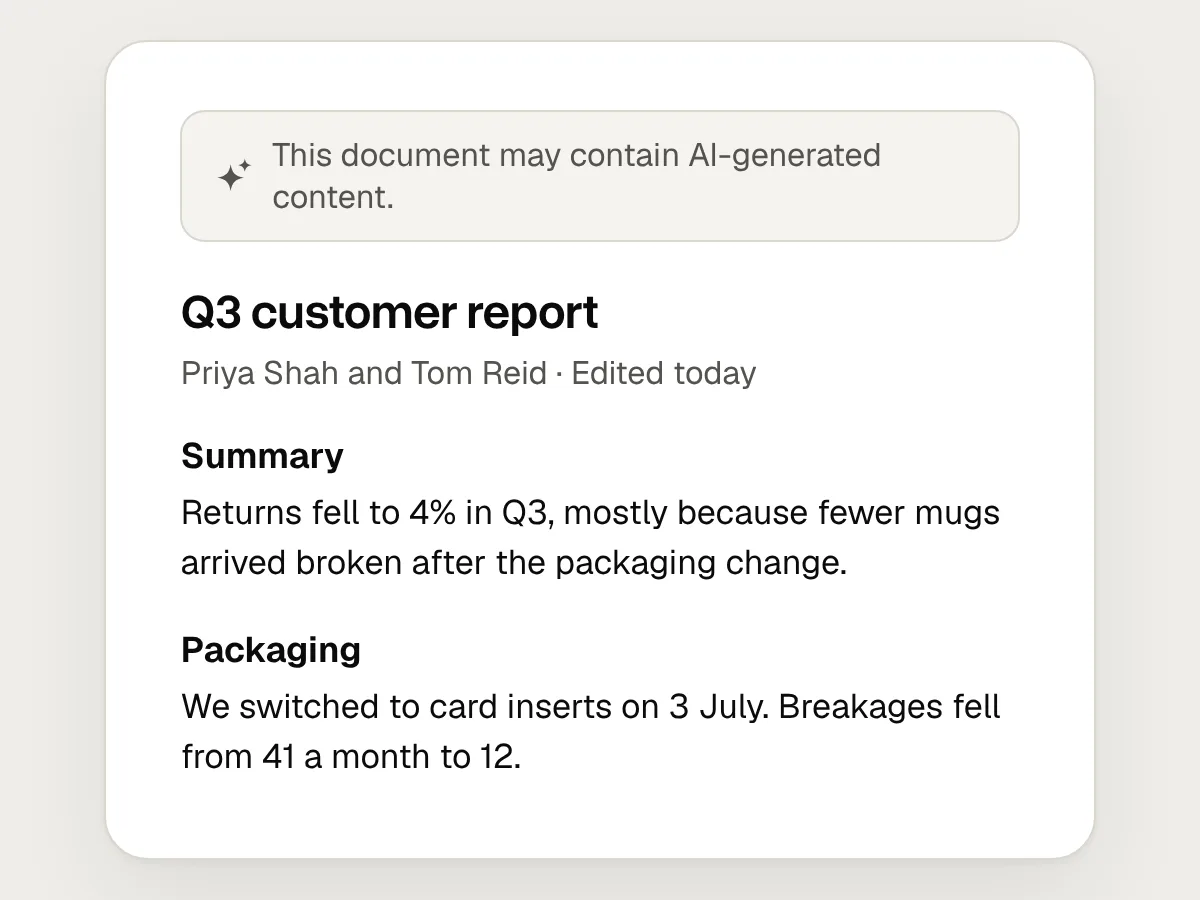
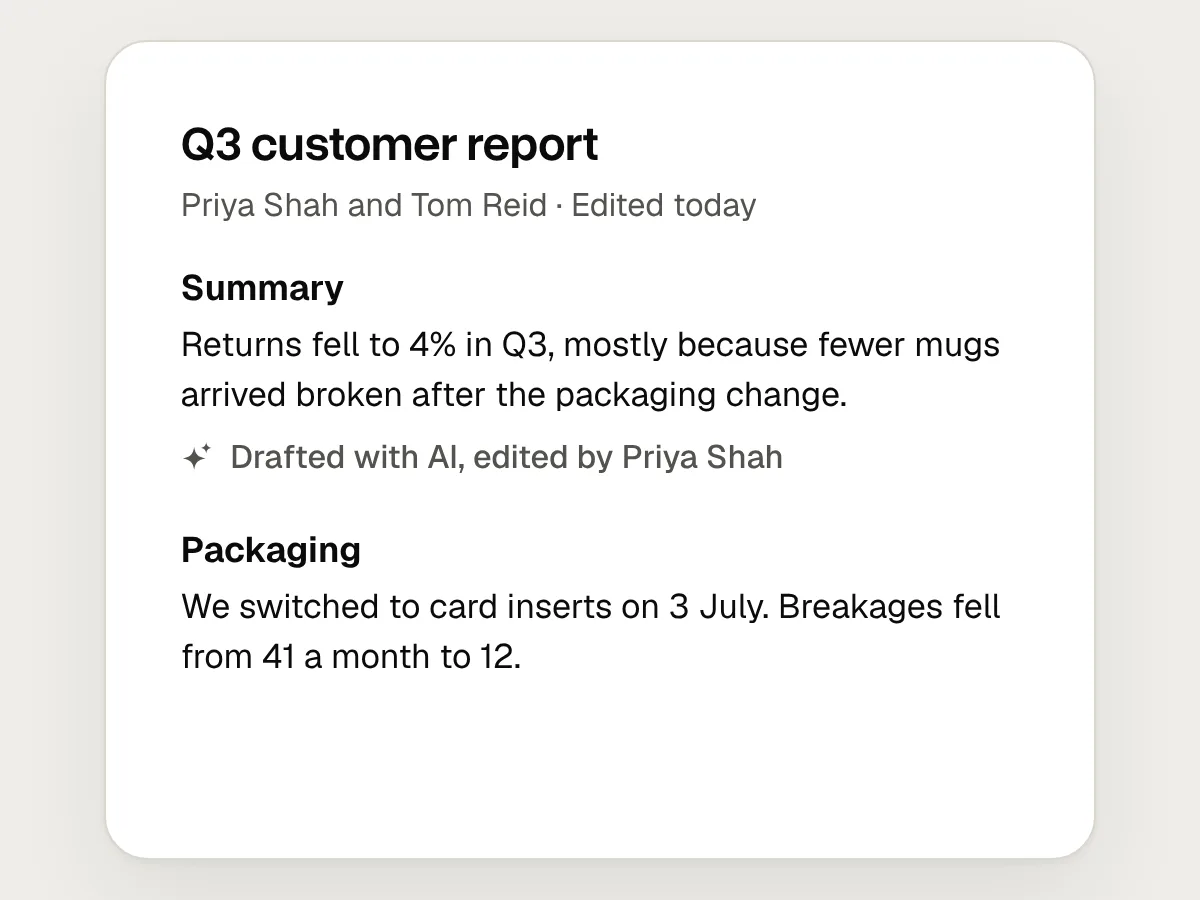
Label the part, not the page. If AI drafted the summary at the top of a report, label the summary. A banner saying “This document may contain AI-generated content” makes every paragraph suspect and tells nobody which one to check.
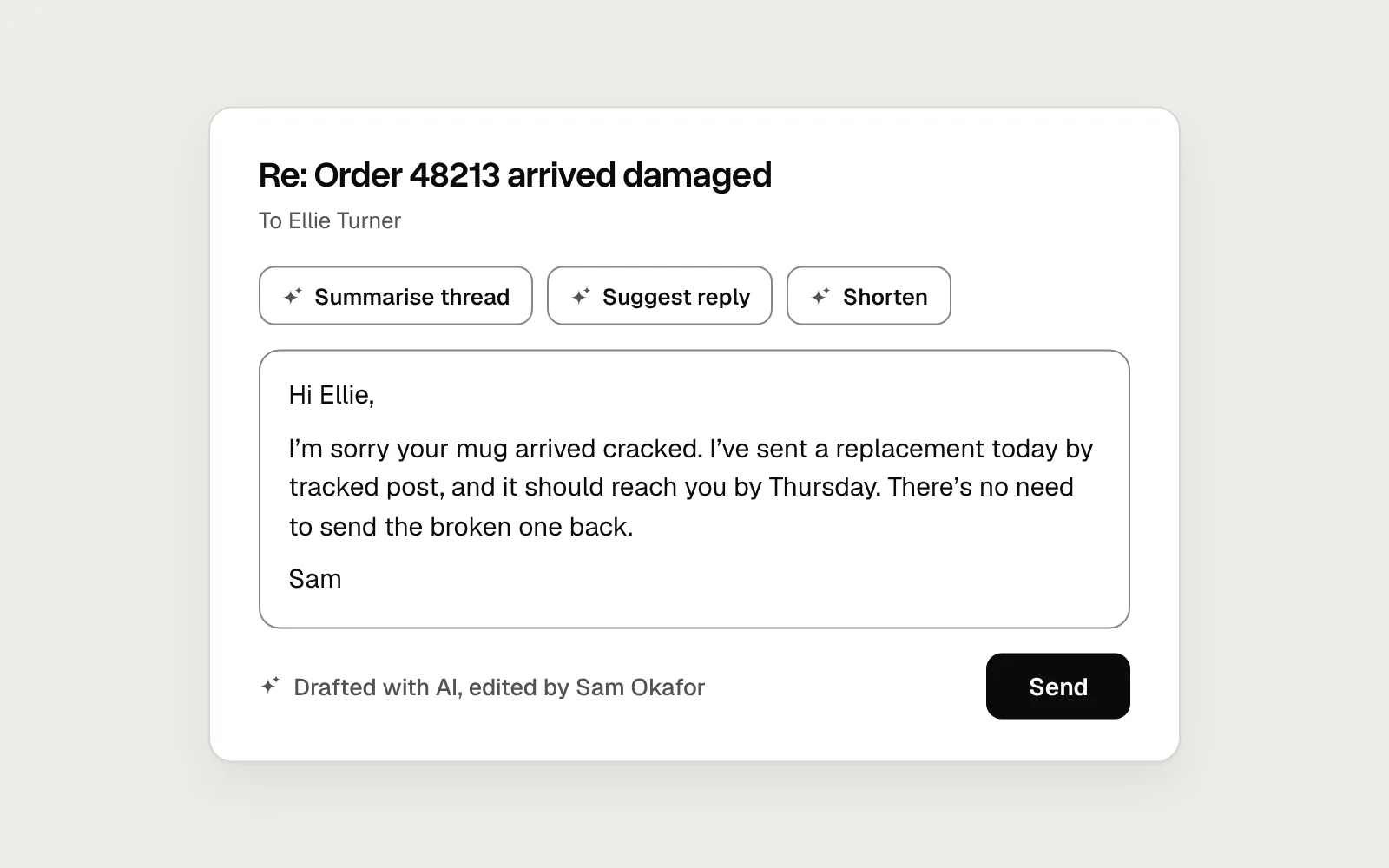
Here is a reply in a support inbox, labelled two ways. The first has the usual sparkles, badge and disclaimer. The second names each action and says plainly what AI did and who checked it.
Before
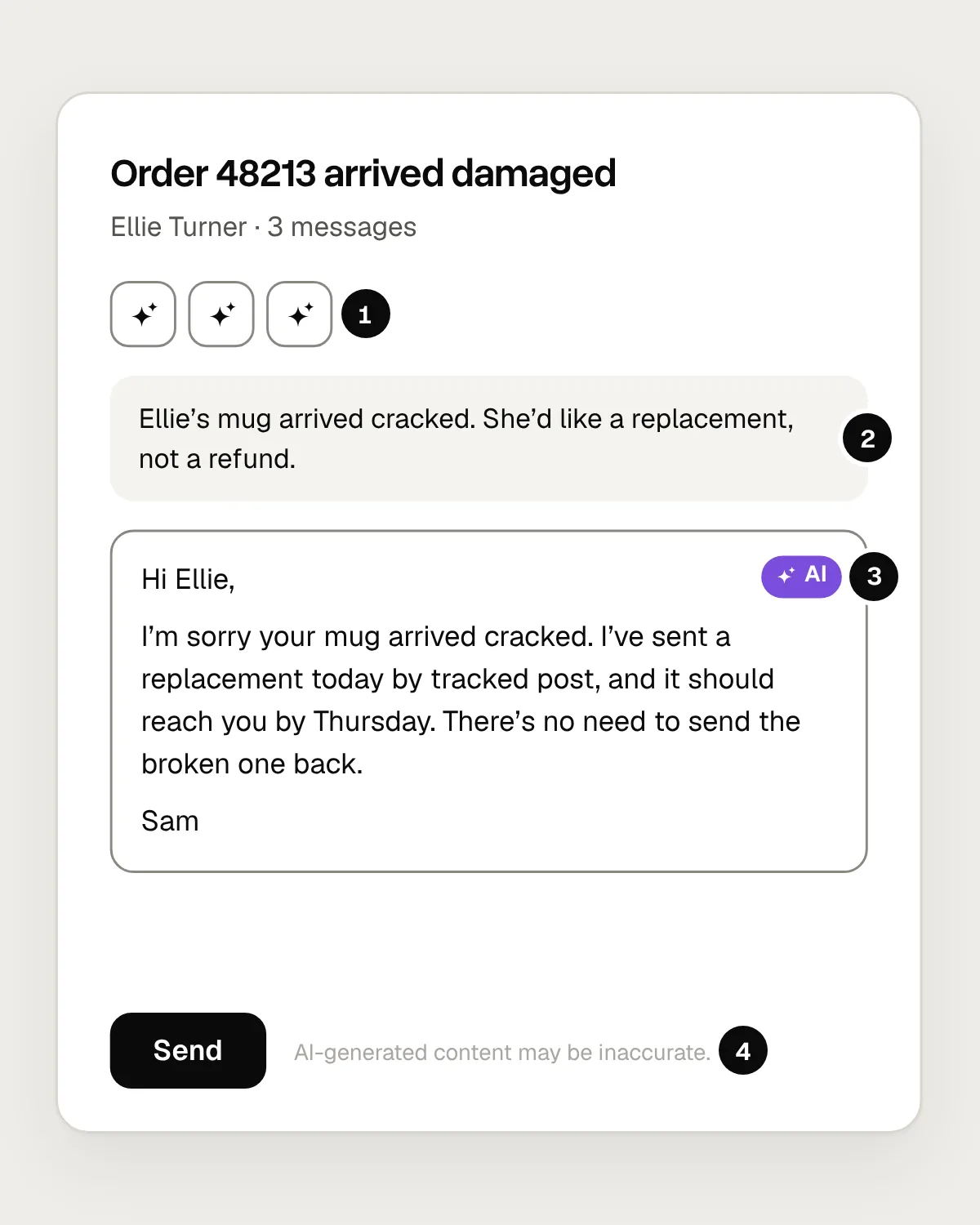
- Three identical sparkles. Nobody can tell what each one does without pressing it.
- AI wrote the summary, and nothing says so.
- An “AI” chip says AI was involved, not what it did or whether anyone checked.
- A generic disclaimer in pale grey that doesn’t say which text it means.
After
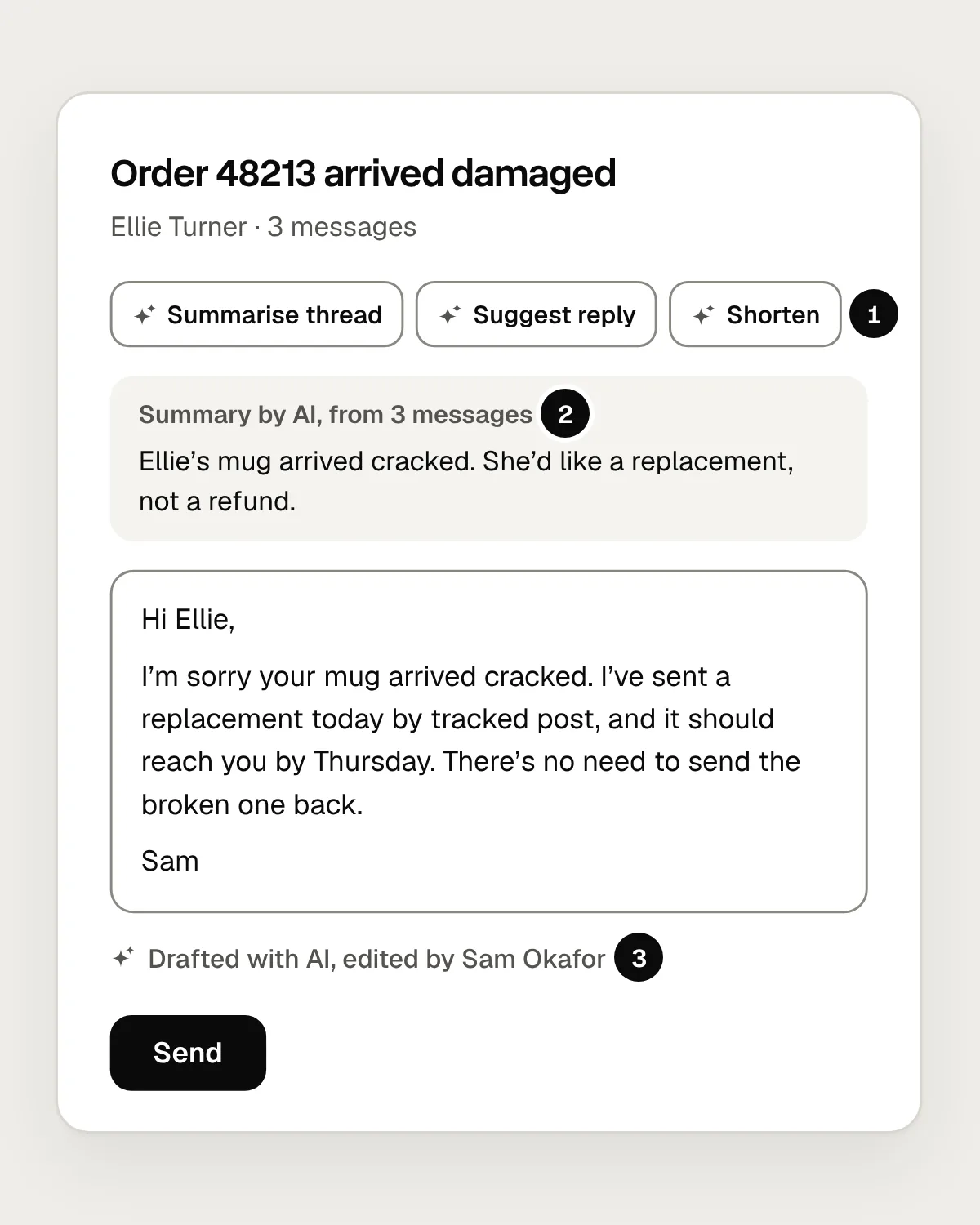
- Each button says what it does. The sparkle is a small hint beside the words.
- The summary says where it came from, at the top, where it is read.
- A line under the reply says AI drafted it and Sam edited it.
Say what AI did and what a person did
“AI” is not one thing. A reply drafted by AI and checked by a person is different from a person’s reply that AI shortened, and both are different from a reply that AI sent on its own. Say which.
People use the label to decide how much to check. “Drafted with AI, edited by Sam Okafor” tells a colleague that Sam read the reply and stands behind it. “Generated with AI” tells them nobody has. The AI Act draws a similar line: its duty to mark AI output doesn’t apply where the AI only assists with standard editing or doesn’t substantially change what the person gave it.
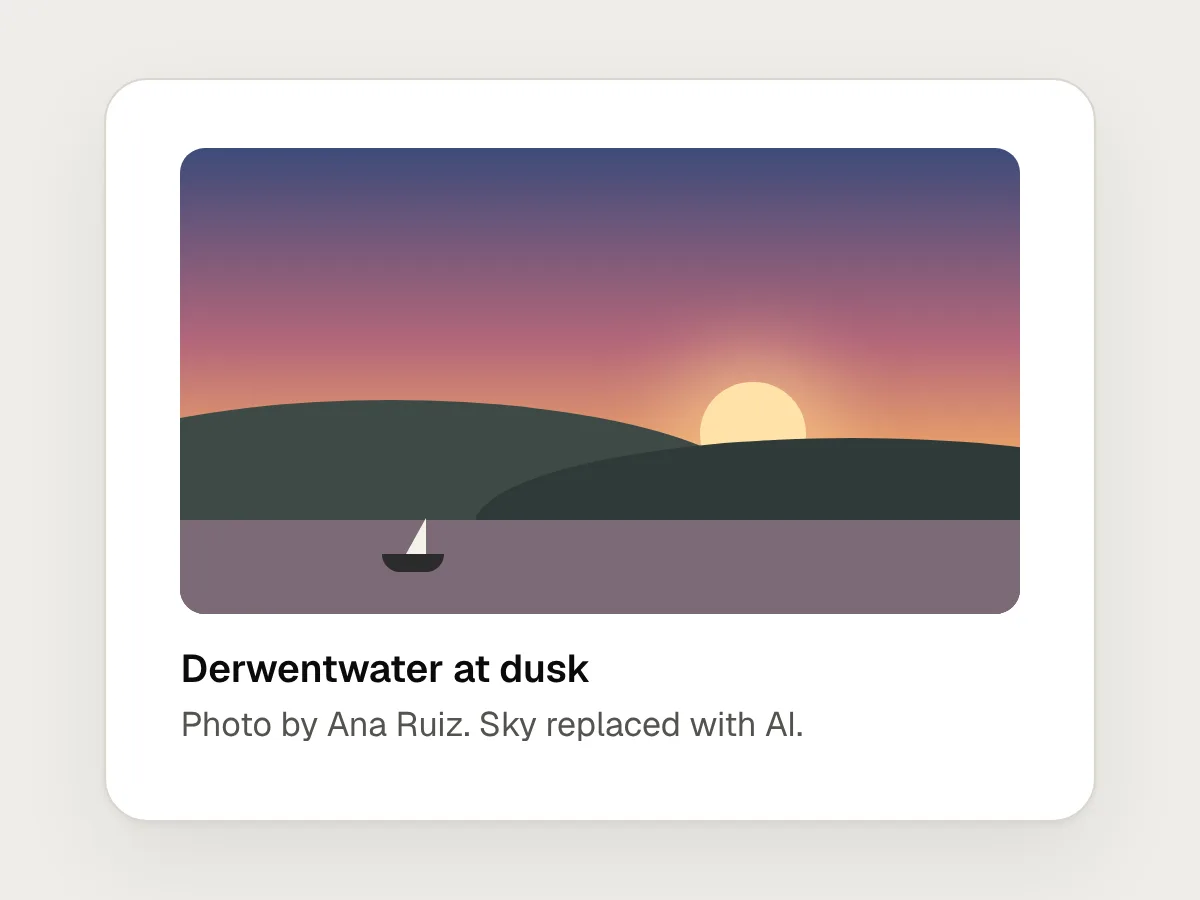
Build labels from what was done and who did it. “Drafted with AI” before anyone has changed a word. “Drafted with AI, edited by Sam Okafor” once a person has. “Written by Sam Okafor, shortened with AI” when AI changed a person’s text. “Sky replaced with AI” for a photo. Don’t label a fixed typo. A label on every spelling correction is noise, and it teaches people to ignore the labels that matter.
Labels should follow the content as it changes. Here is a reply being drafted, then corrected by the person who will send it.
Decide what counts as an edit, and apply the same rule everywhere. Changing one word of a 200-word draft doesn’t make it the person’s writing. Some products count any change. Others ask the person to confirm they have read it. Either way, keep the AI part of the label once a person has edited. “Edited by Sam” on its own hides where the words came from.
Images and video: a visible label and Content Credentials
Pictures, audio and video need two labels: one people can see, and one machines can read.
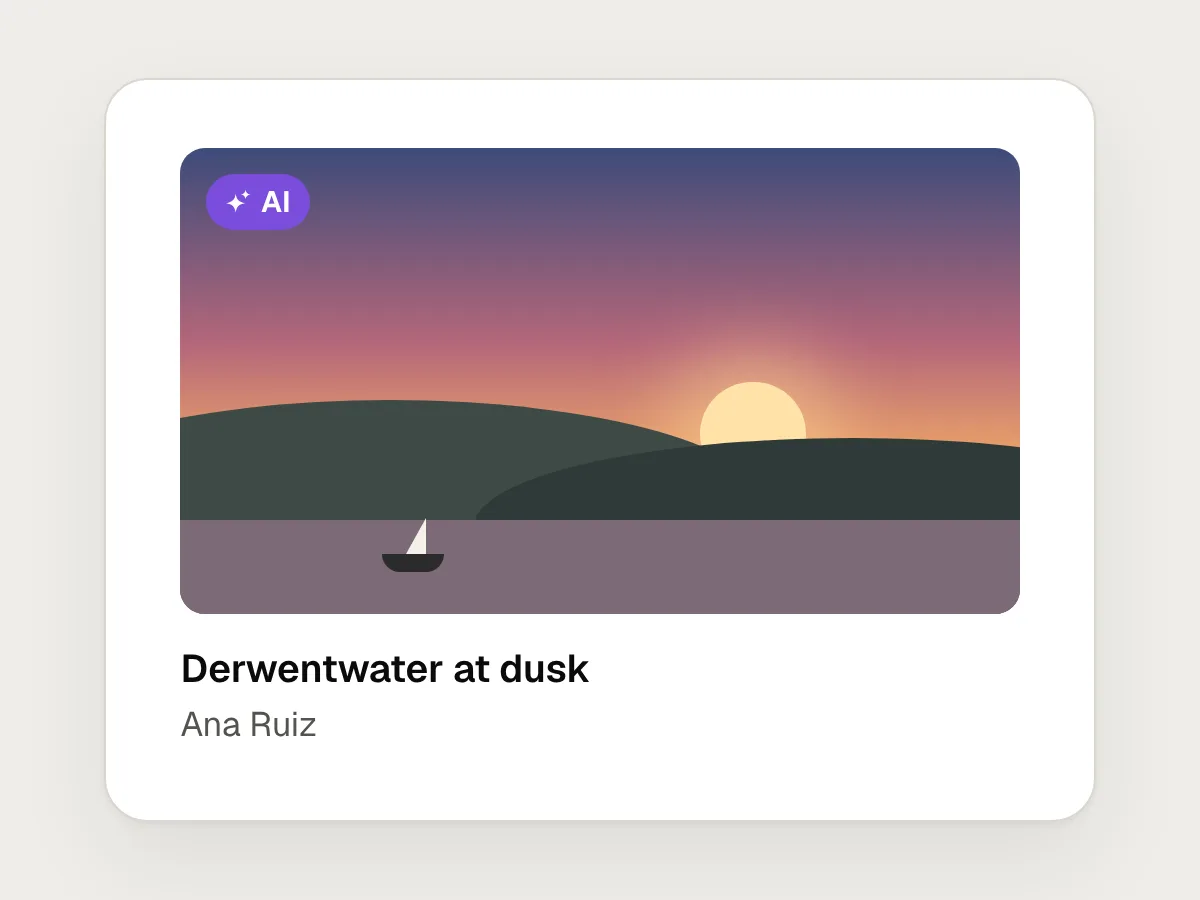
The visible one works like a text label: close to the picture, and specific. “Photo by Ana Ruiz. Sky replaced with AI.” is more useful than an “AI” badge in the corner, because it says which part of the picture is real. Put it in the alt text too, so people who can’t see the picture get the same information.
The machine-readable one is usually Content Credentials, the provenance record defined by the C2PA open standard. It is a signed record attached to the file that says what made it, what was changed and whether AI was involved. Editing tools can write it on export, and sites that read it can show it in an info panel or use it to add their own label. TikTok, for example, reads Content Credentials to label AI-generated uploads automatically, and Meta shows an “AI info” label on Instagram, Facebook and Threads, which it has made less prominent for content that was only edited with AI.
Know the limits. Many sites re-encode uploads and drop the record, and a screenshot carries none of it. A record shows where a file has been, not that what it shows is true, and a missing record proves nothing either way. So keep a visible label wherever a picture could mislead. The Commission’s guidelines say the same about deepfakes: whoever publishes one can’t rely on the machine-readable mark alone.
What the EU AI Act asks for
Article 50 of the AI Act sets transparency duties for providers, the companies that build an AI system and put it on the market, and for deployers, the businesses that use one. Providers of systems that talk to people, such as chatbots, must make sure people are told they are dealing with AI, unless that is obvious. Providers of systems that generate audio, images, video or text must mark the output in a machine-readable format, so it can be detected as AI-generated or manipulated. Deployers that publish deepfakes must say the content was generated or manipulated, though for clearly artistic, satirical or fictional work this can be done in a way that doesn’t spoil it. Deployers that publish AI-generated text to inform the public on matters of public interest must say so, unless a person has reviewed it and someone holds editorial responsibility for it. There are also duties for emotion recognition and biometric categorisation systems.
These duties have applied since 2 August 2026. The Digital Omnibus on AI, which came into force on 27 July 2026, postponed the rules for high-risk systems but not these, with one exception: generative systems already on the market before 2 August 2026 have until 2 December 2026 to add machine-readable marking.
To help, the Commission published a voluntary Code of Practice on marking and labelling AI-generated content on 10 June 2026, and final guidelines on Article 50 on 20 July 2026. It also offers optional EU icons for labels: an “AI” mark, and versions for content that is AI-generated or AI-modified. The icons are optional but the duty to label is not, and the code encourages words such as “generated” or “modified” beside the icon.
Most of the labels in this guide go further than the law. A private reply to a customer, drafted with AI, isn’t a deepfake or published public-interest text. Label it anyway, because the person reading it, and the colleague who picks up the thread, need to know. And if your product itself generates content, you may be a provider with marking duties of your own.
Don’t make the label a warning, or an excuse
A label informs. It shouldn’t frighten people away from a feature, and it shouldn’t cover for one that doesn’t work.
A red banner over every summary saying “AI-generated content may be inaccurate, misleading or offensive” teaches people to skip red banners, including the ones that matter. The Commission’s guidelines on Article 50 also warn against disclosures so intrusive that they get in the way and people stop noticing them. Keep labels quiet and specific: ordinary text, a muted colour that still passes contrast, right next to what they describe.
And “AI can make mistakes” doesn’t make a wrong answer acceptable. If summaries often miss the point, fix the summaries or don’t ship them. Where checking matters, make it easy: link a summary to the messages it came from, link a claim to its source, keep the AI’s original draft a click away.
Use the same words everywhere
Write the label vocabulary down once and use it across the product: the same verbs, the same order and the same place under the content.
If the inbox says “Drafted with AI”, the documents say “AI-generated” and the mobile app shows a badge, people can’t tell whether these mean different things. Put the labels in the design system as a component with fixed states, so each team doesn’t write its own. Then decide where the label travels: whether the person who receives an email sees it, whether it survives copy and paste, and whether it stays on an exported file. Tell the sender what the recipient will see.
Mistakes, and what to do instead
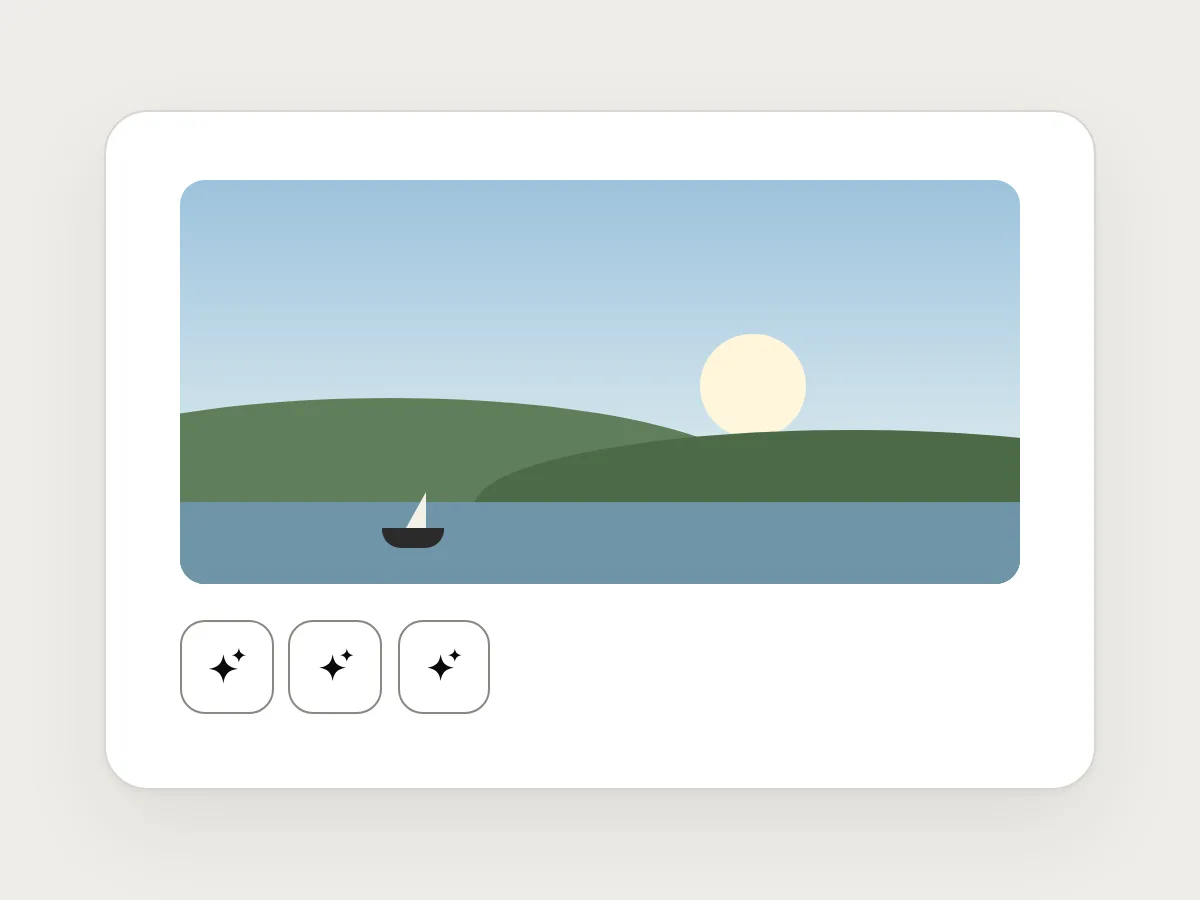
Don’t
Sparkle icons with no words.
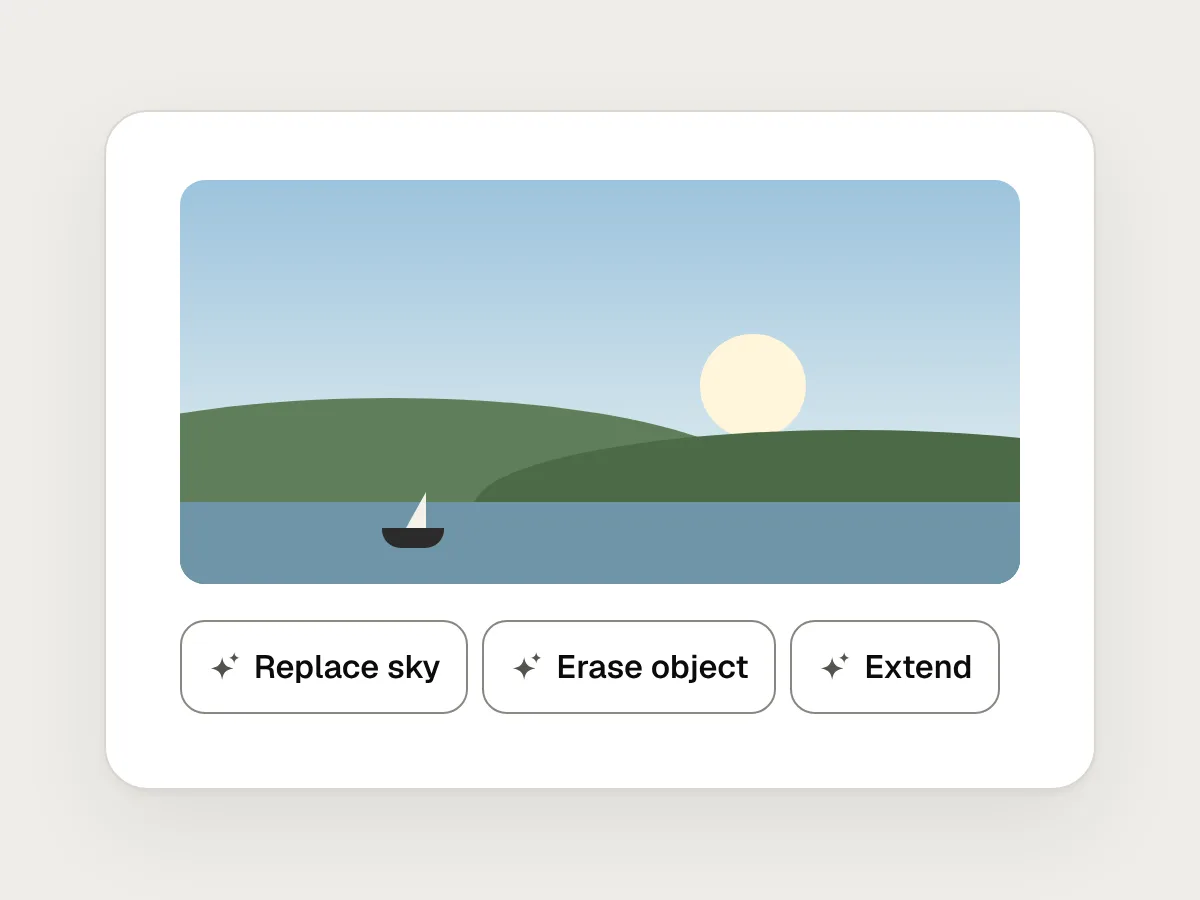
Do
Name each action by its result, with the sparkle as a small hint beside the words.
Don’t
A banner that labels the whole document.
Do
Label the part AI wrote, where it sits.
Don’t
One “AI” badge for anything AI touched.
Do
Say what AI changed and what a person made.
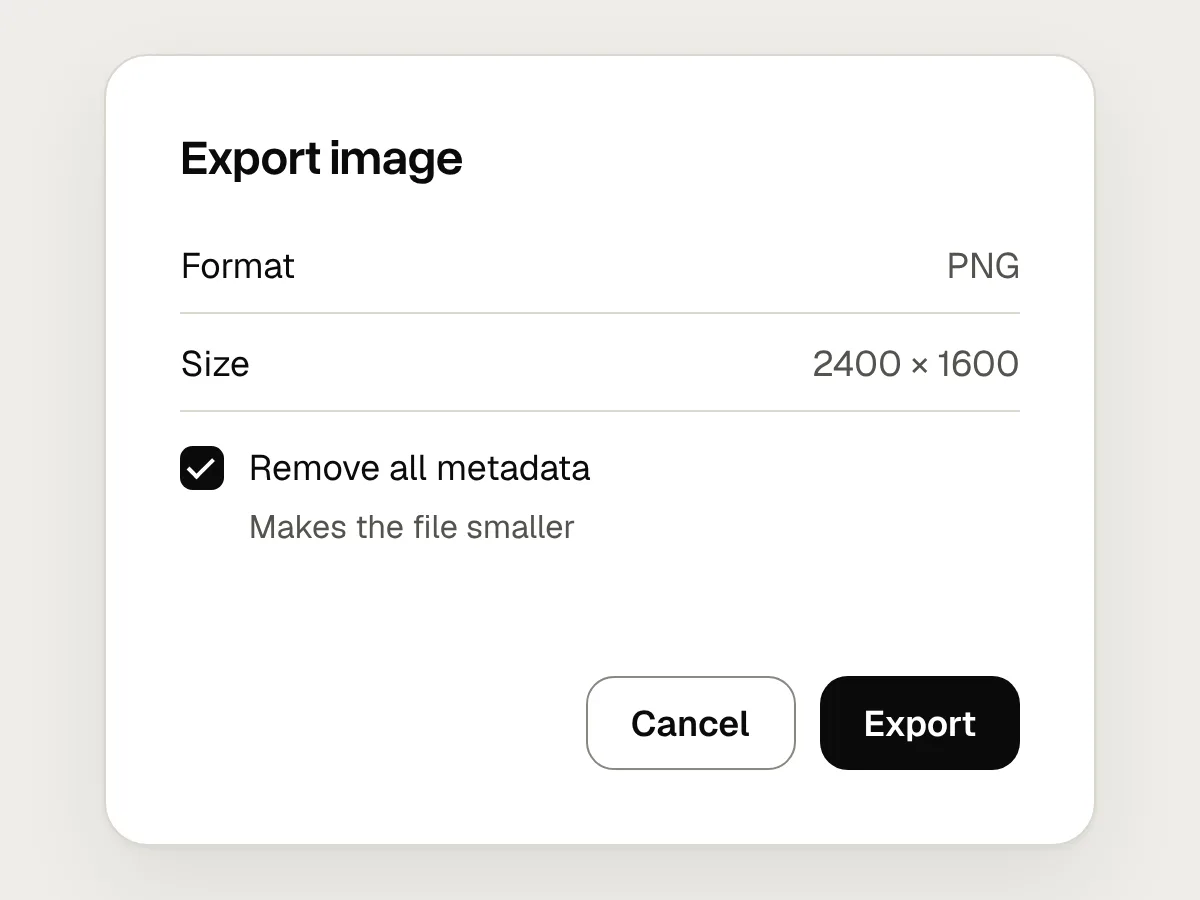
Don’t
Stripping the record of AI edits on export.
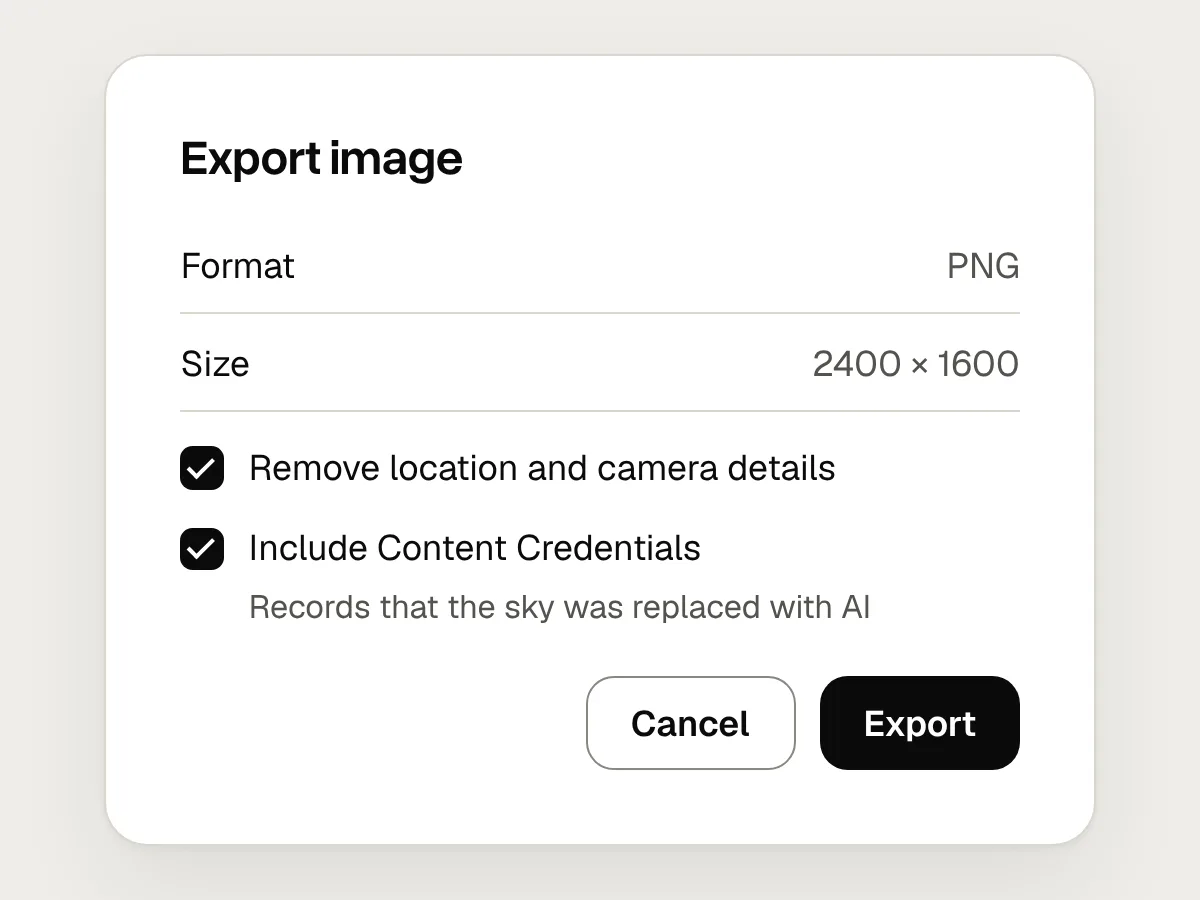
Do
Keep Content Credentials on export, and remove only the details people don’t want shared.
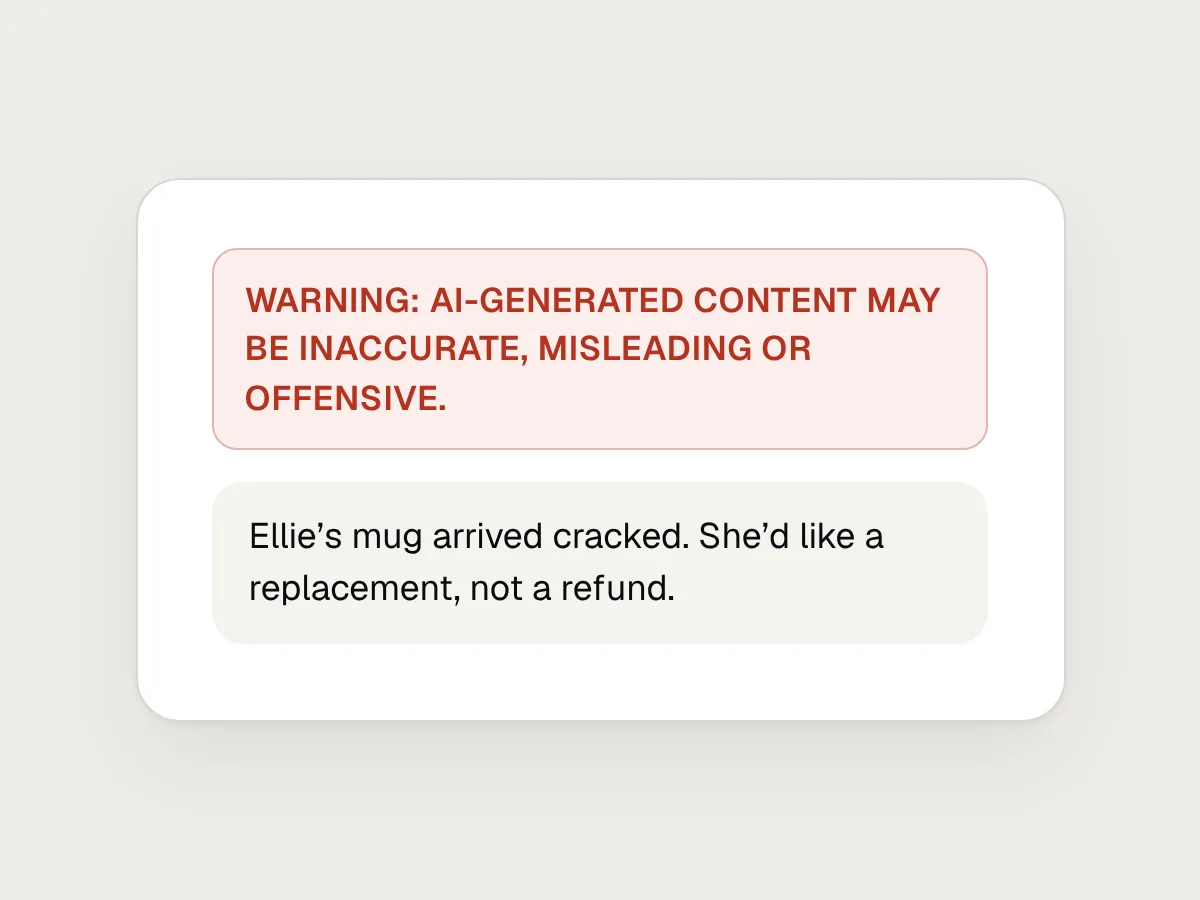
Don’t
A warning so loud people learn to skip it.
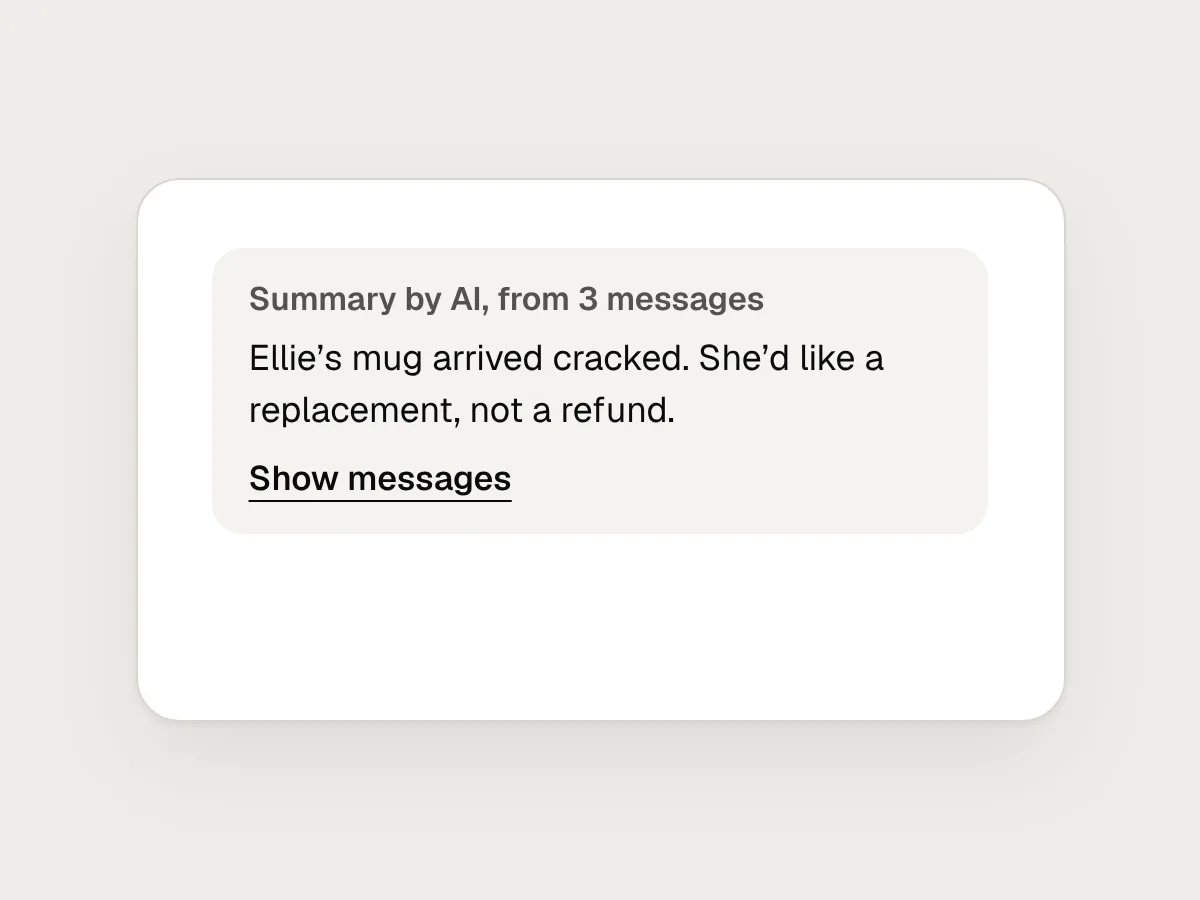
Do
A quiet, specific label, and a way to check.
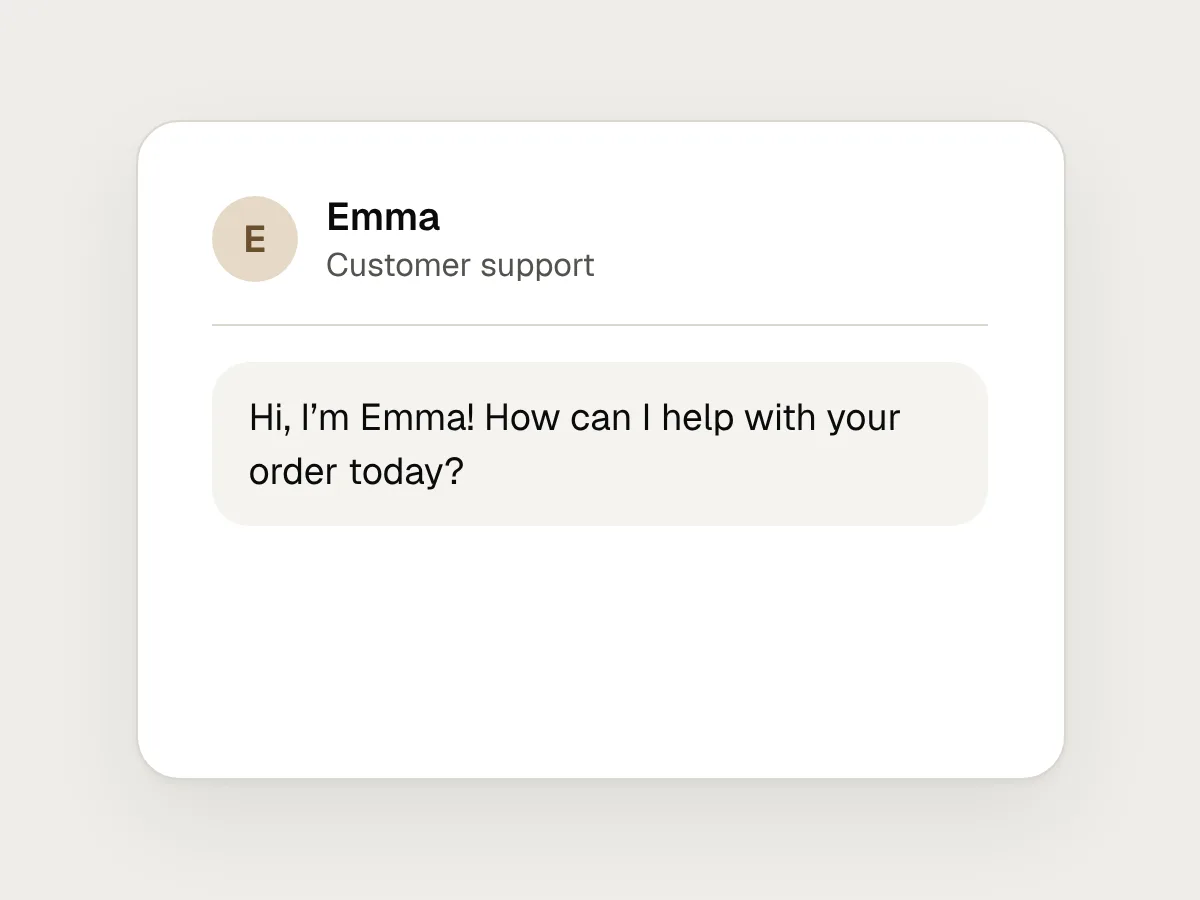
Don’t
A chatbot with a human name and no mention of AI.
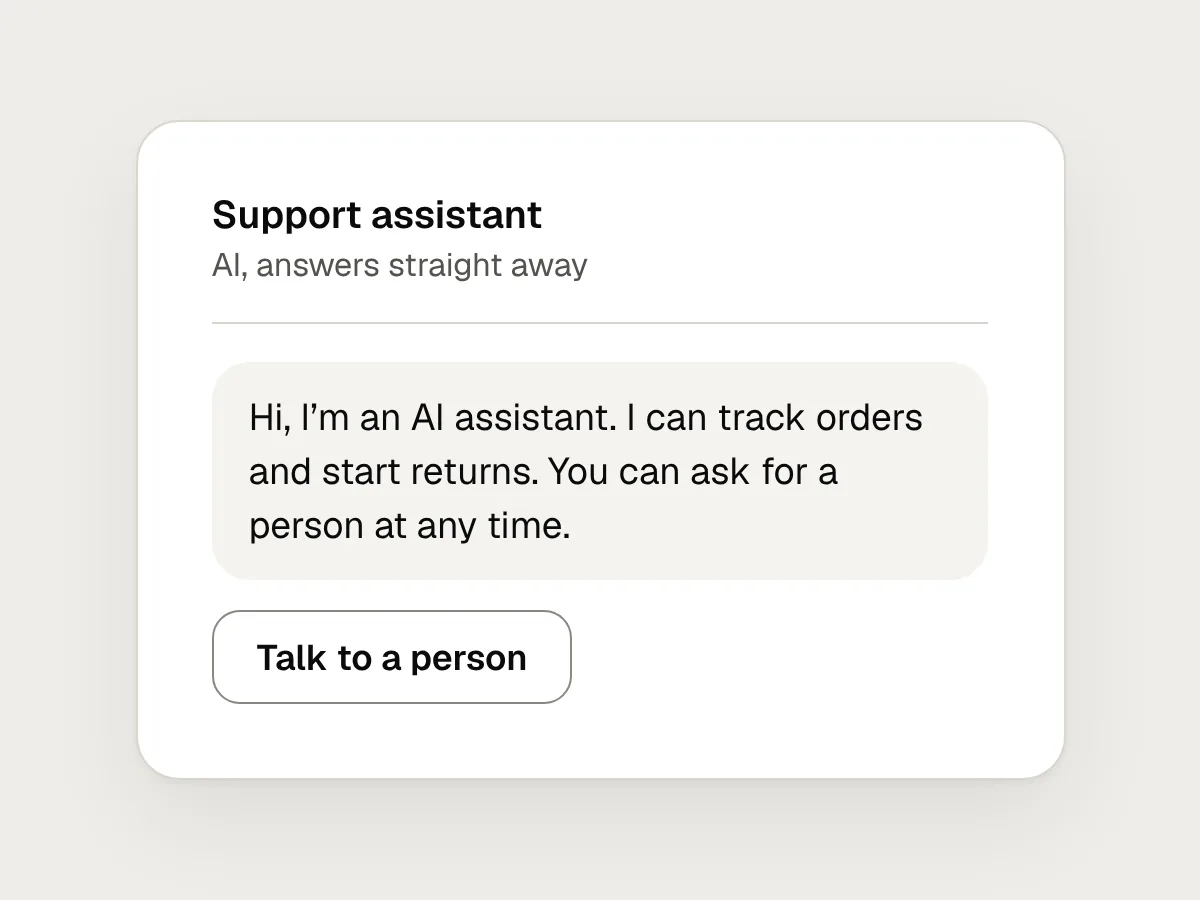
Do
Say it’s an AI assistant in the first message, and offer a person.
Before you ship: a checklist
Questions people ask
What does the sparkle icon mean?
It has become the most common symbol for AI features, but it has no settled meaning. Nielsen Norman Group found many people weren’t sure what it meant on its own, and it can be mistaken for a star. Use it beside a text label, never instead of one.
Do I have to label AI-generated content?
In the EU, Article 50 of the AI Act requires labels on deepfakes and on AI-generated text published to inform the public on matters of public interest, and chatbots must say they are AI. Providers of generative AI must also mark output in a machine-readable way. Other countries have their own rules. Even where the law doesn’t require a label, people usually need one to judge what they are reading.
What is the difference between AI-generated and AI-edited content?
AI-generated content was created by AI, such as a drafted reply or a generated image. AI-edited content was made by a person and then changed by AI, such as a shortened paragraph or a replaced sky. Label them differently, because they tell people different things about how much a person was involved.
What are Content Credentials?
A signed record attached to an image, video or audio file, defined by the C2PA open standard, that says how the file was made and changed, including whether AI was used. Apps and sites that read it can show it to people or add their own label. It can be stripped, so it doesn’t replace a visible label.
When did the EU AI Act’s labelling rules start?
The Article 50 transparency duties have applied since 2 August 2026. Generative AI systems that were already on the market before that date have until 2 December 2026 to add machine-readable marking.
Resources
- The Proliferation and Problem of the Sparkles Icon · Nielsen Norman Group
Why the sparkle is ambiguous on its own, and why it needs words beside it.
- AI iconography guidelines · PatternFly
A design system’s rules for when to use the sparkle and how to pair it with text.
- Article 50: Transparency obligations for providers and deployers of certain AI systems · European Commission AI Act Service Desk
The text of the law on chatbots, deepfakes and marking AI content.
- Guidelines on transparency obligations for providers and deployers of AI systems · European Commission
How the Commission reads Article 50, with examples.
- Commission publishes Code of Practice on marking and labelling AI-generated content · European Commission
The voluntary code on machine-readable marking and visible labels.
- EU Icons for labelling AI-generated content · European Commission
The optional EU icons, and how to use them with words.
If this was useful, share it with someone it would help.