Best practice
Streaming AI responses: UX for text that arrives as it’s written
How to design streaming AI responses: show something within a second, leave the reader’s place alone, let them stop it, and hold Copy until it’s done.
· 9 min read · Musab Alfawal
On this page
A streaming response is an AI answer that appears while it is being written, a few words at a time, instead of all at once when it’s finished. Language models produce text in small pieces, and a long answer can take many seconds to complete. Streaming shows each piece as it arrives, so people can start reading almost straight away.
Nearly every AI product streams its answers now, and the page changes under the reader’s eyes, sometimes for half a minute. Done badly, it jumps, the reader loses their place, screen readers chatter, and a half-written answer looks like a finished one.
This guide covers the details that decide whether it feels calm or chaotic: the first second, scrolling, stopping, structure, errors and accessibility. The examples follow a notes app’s assistant drafting a reply to a landlord.
Show something within a second
The first second decides how the wait feels. Jakob Nielsen’s response time limits put about 1 second as the point where someone’s flow of thought stays unbroken, and about 10 seconds as the limit for keeping their attention. A 20-second answer is fine if its first words arrive quickly. An empty panel for five seconds is not.
Until the first words arrive, say what the assistant is doing, in plain words: “Searching your notes”, “Found 3 notes about the boiler”. The Cloudscape design system treats this as two stages, processing the request and generating the answer, and recommends streaming the answer whenever the model supports it.
Don’t show a progress bar with a percentage. The model doesn’t know how long its answer will be, so the number is made up.
Follow the newest line only while the reader is there
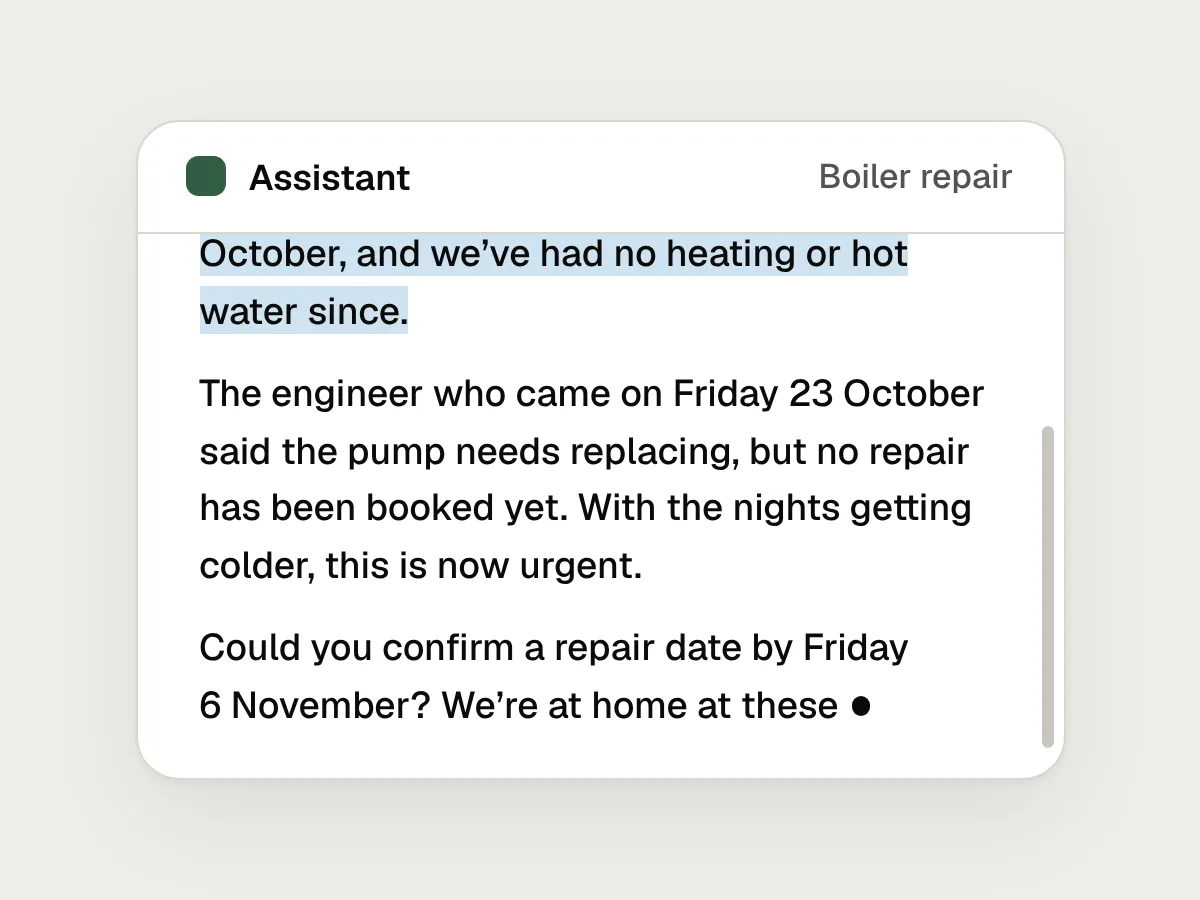
Keeping the newest line in view is right while the reader is at the bottom, watching it arrive. It’s wrong once they scroll up, because pulling them down with every new word makes reading impossible. Nielsen Norman Group’s guidelines for AI chatbots say the same: don’t autoscroll people to the end of a response, because anyone who has started reading has to find their place again.
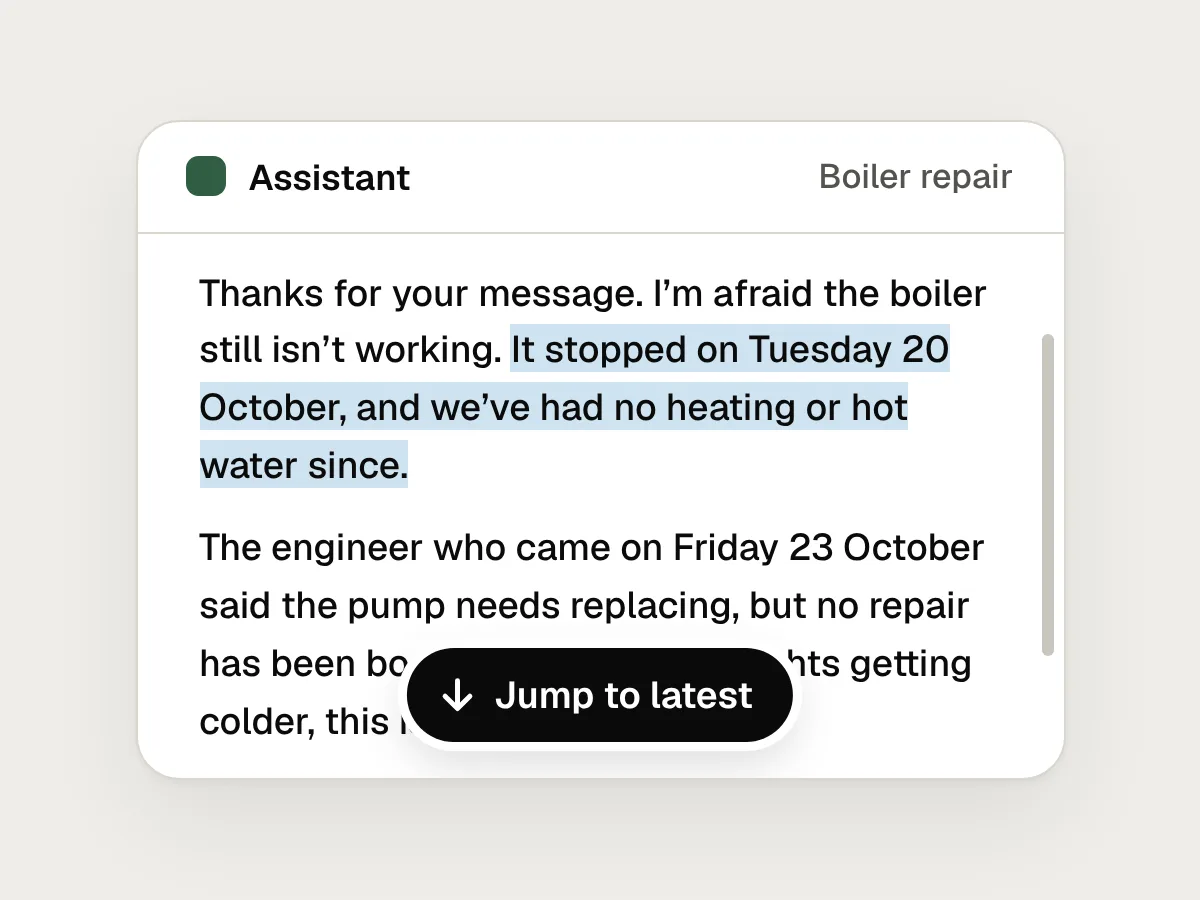
So follow new text only if the view is already at the bottom, within a line or so. If the reader has scrolled away, leave the view exactly where it is and show a small Jump to latest button that takes them to the newest text. Don’t pull them down when the answer finishes, either. A text selection, or a pointer held down in the conversation, is also a sign to stop following.
Turn Send into Stop
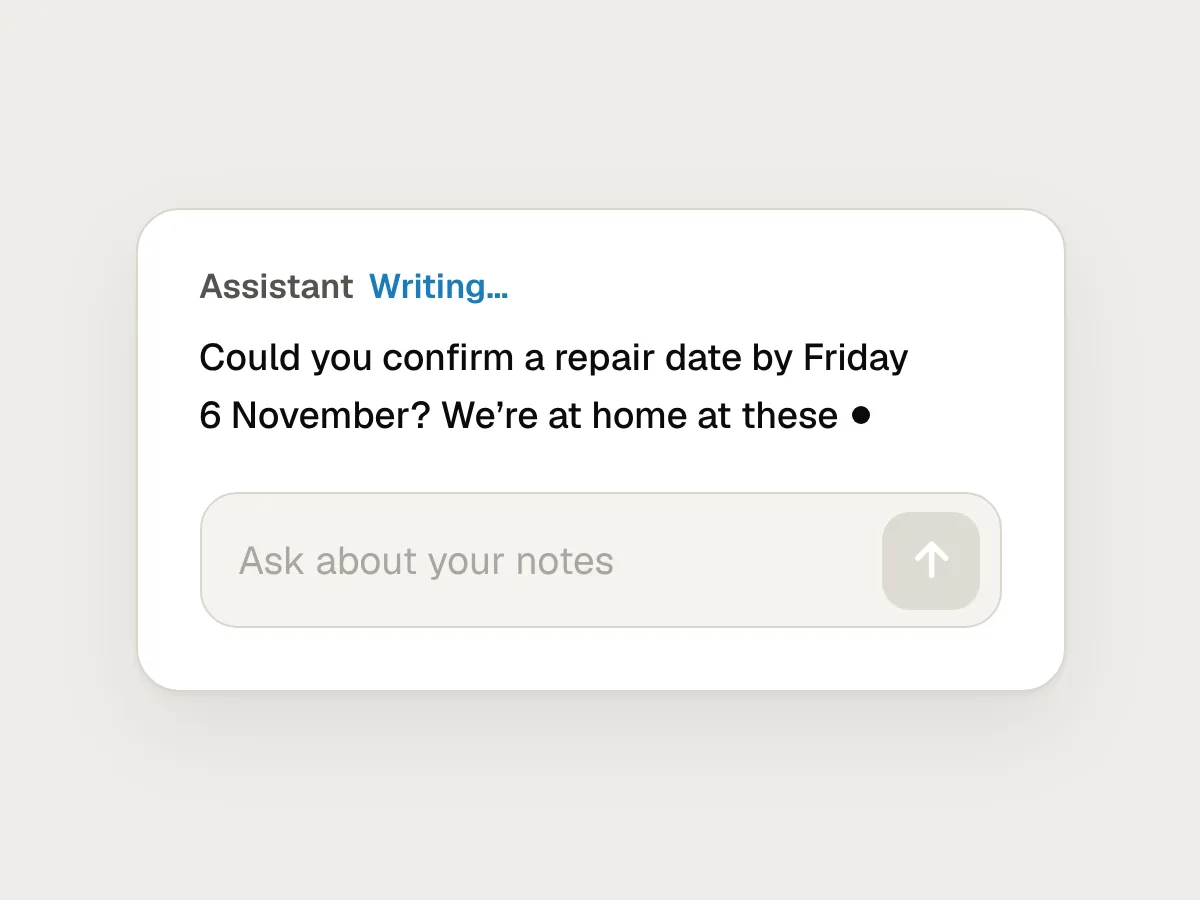
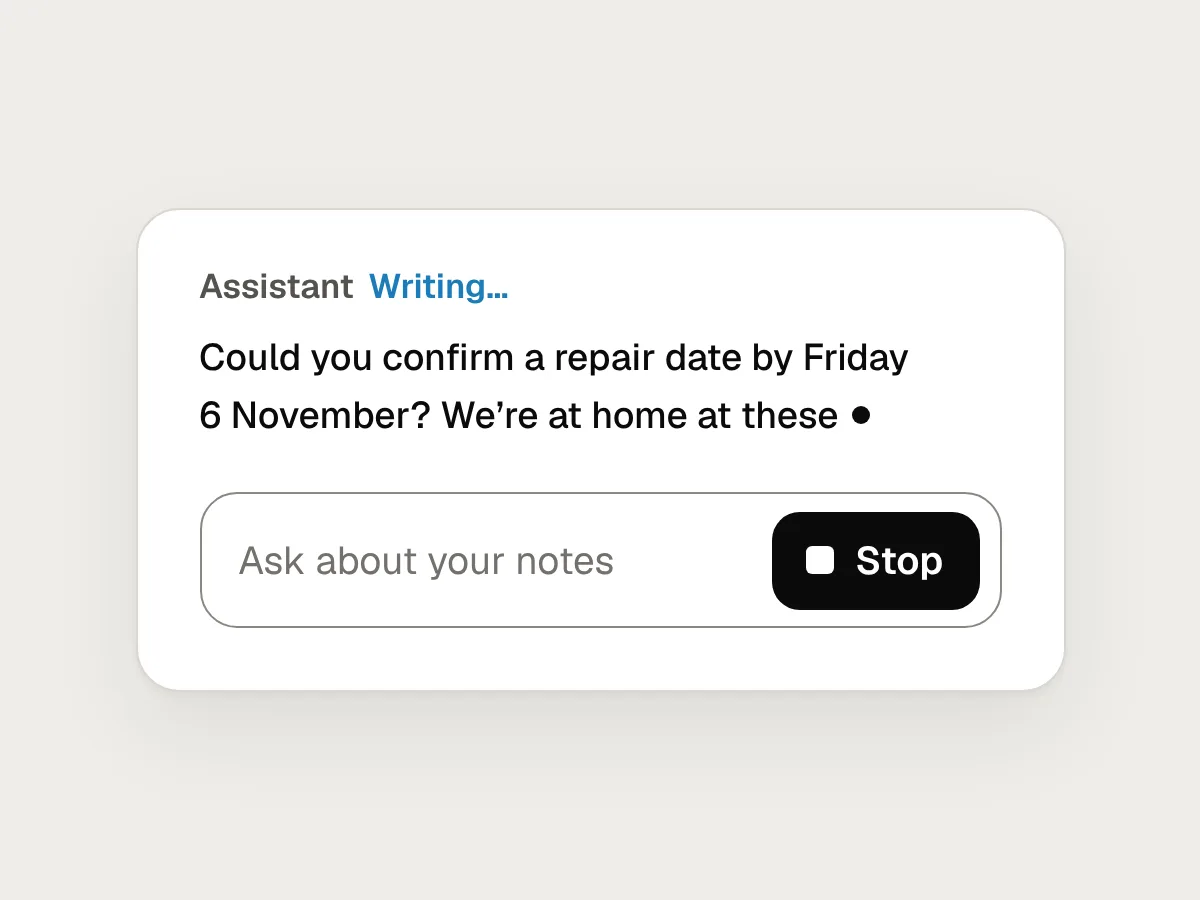
While the assistant writes, the Send button should become Stop, in the same place. Cloudscape’s guidance for generative AI describes exactly this, and adds that people should be able to stop straight away, with nothing in the way. Stopping also keeps the model from spending tokens on an answer nobody wants.
People stop because the first paragraph shows a misunderstanding, or because they already have what they need. So stopping should keep everything written so far, mark it as stopped, and offer to continue or try again. Never delete the partial answer, and never let it pass for a complete one.
Here is the whole sequence: the reply streams in, the reader scrolls up to check an earlier answer, the view stays put, and they stop the reply.
Make it obvious that it’s still writing
A streamed answer looks finished at every pause: a paragraph ends, a list has three items, the text rests while the model works. Without a clear signal, people copy, act on or forward an answer that is only half written.
Show the state in words beside the reply, such as “Writing…”, and a steady marker where new words will appear. When the answer is complete, make the change easy to see: the status goes, the actions become available and Stop turns back into Send.
Hold the actions that use the answer until it’s complete. Copy, Insert into note and Apply should be unavailable while it writes, with a short reason such as “Ready when finished”. If you do allow Copy early, label it plainly: “Copy what’s written so far”.
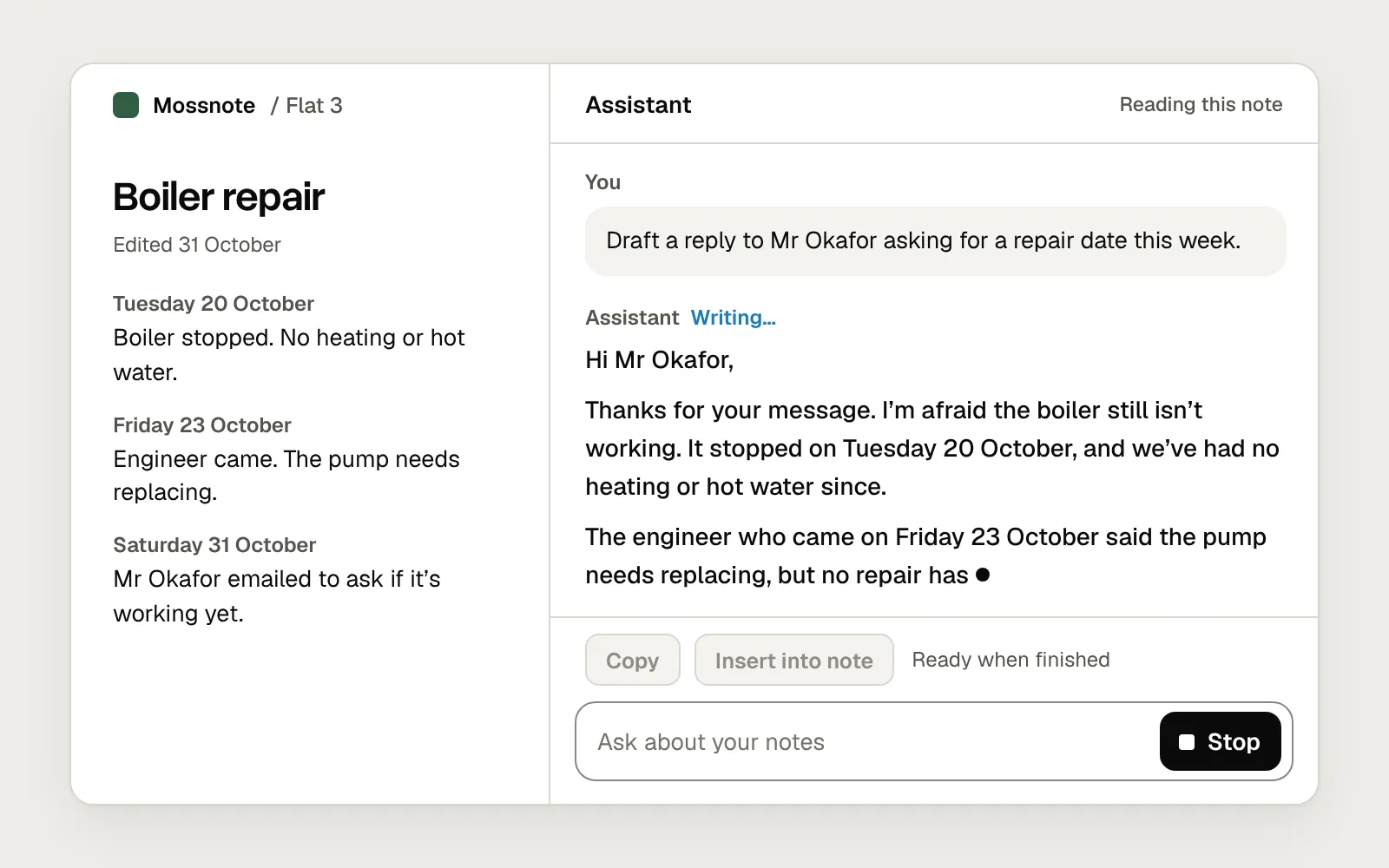
Here is the same reply, mid-stream, done both ways.
Before
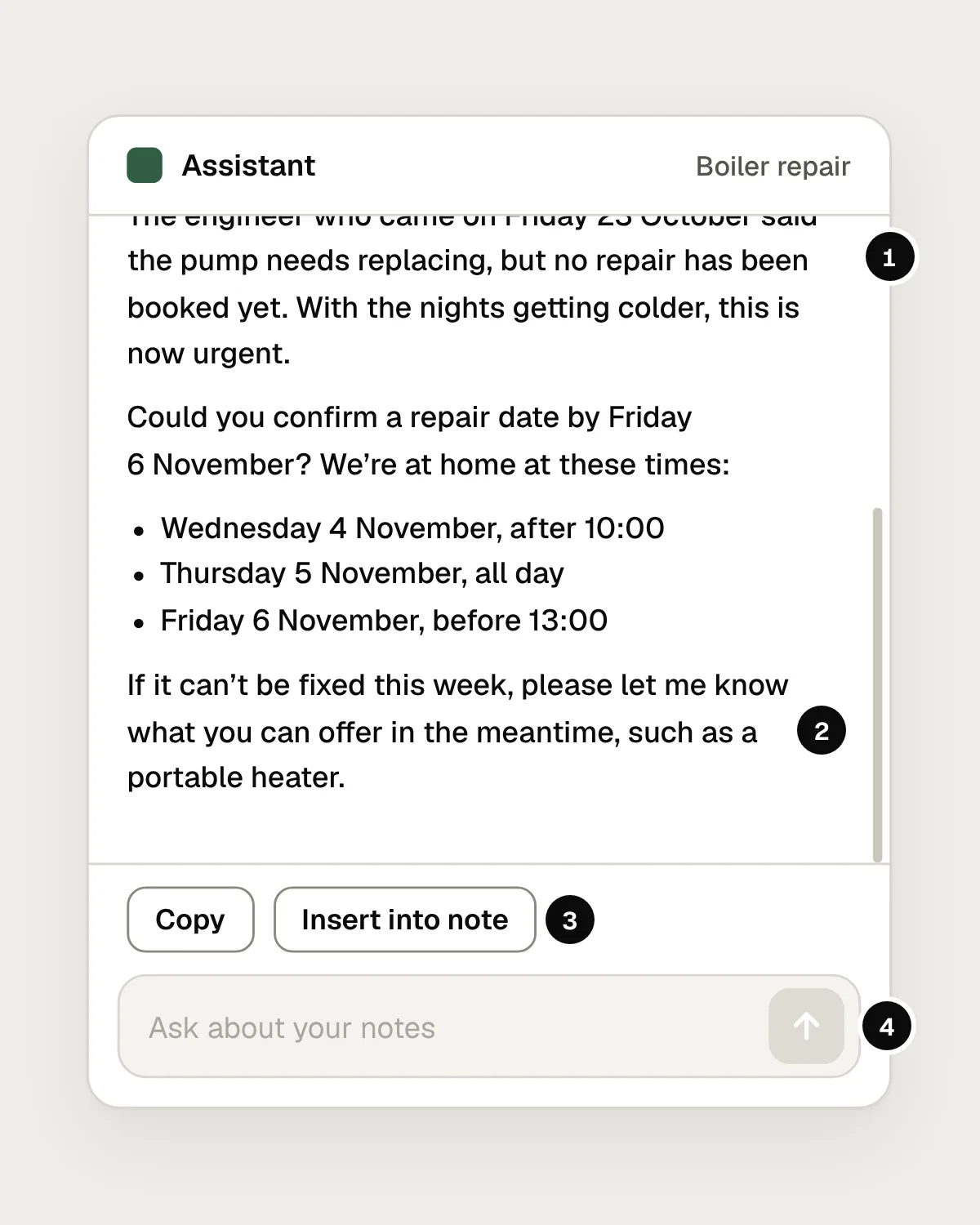
- It followed the new text to the bottom, so the paragraph being read slid out of sight.
- Nothing says it’s still writing, so an unfinished reply looks finished.
- Copy and Insert into note work on an unfinished reply.
- Send is greyed out, and there is no way to stop.
After
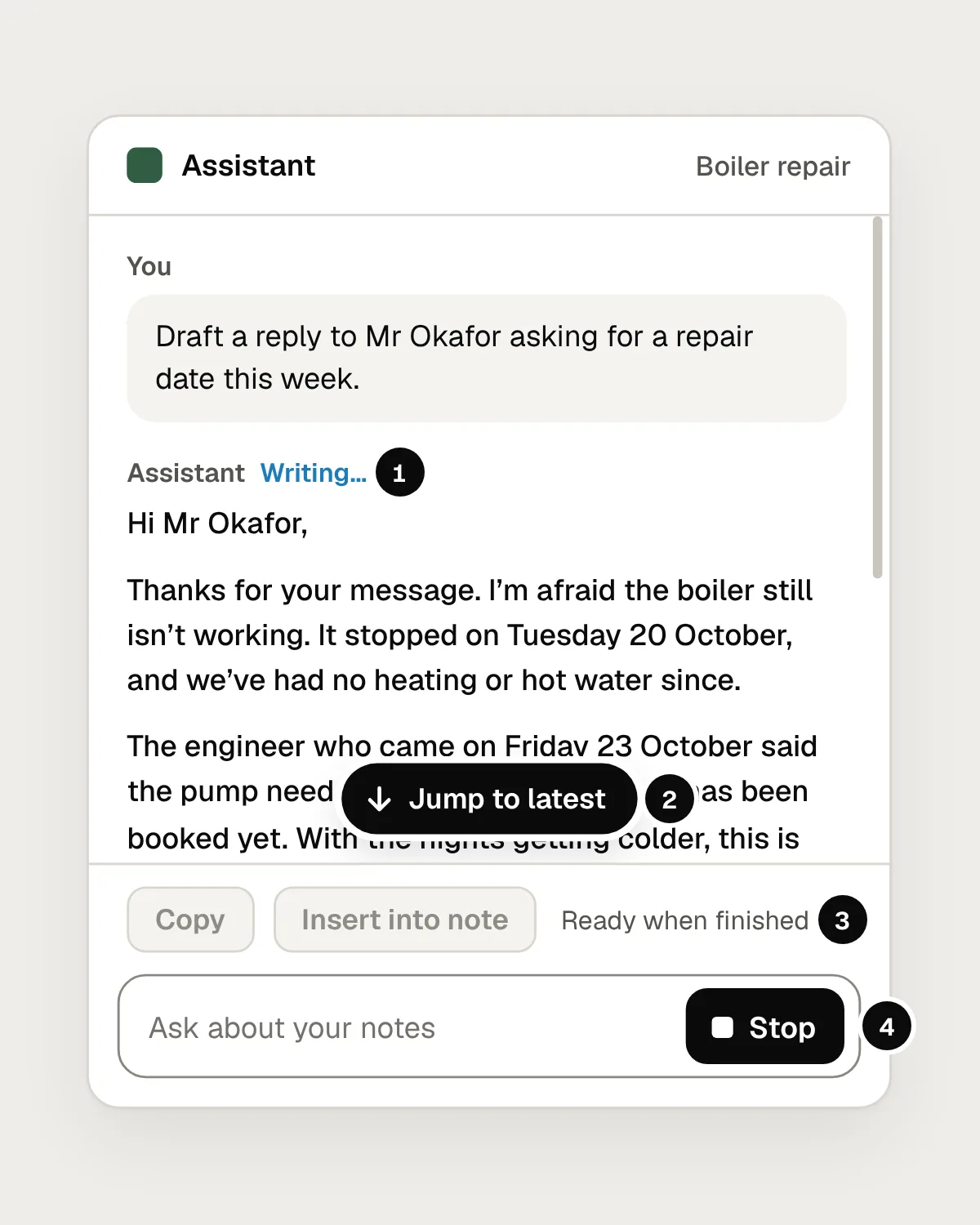
- “Writing…” says the reply isn’t finished yet.
- The view stays where the reader is, and Jump to latest takes them to the new text.
- Copy and Insert into note wait until the reply is finished.
- Send has become Stop.
Let structure arrive without moving what’s been read
Lists, tables, headings and code blocks arrive a line at a time, and each can make the page jump. A table that streams in as raw markdown, rows of pipes and dashes that snap into a grid at the end, moves everything below it and shows people characters never meant for them.
Render structure as soon as it’s clear what it is. When a table’s header row arrives, draw the table and add rows beneath it. When a code block opens, draw its frame and fill it in. Chrome’s guide to rendering streamed LLM responses recommends a streaming markdown parser, which handles each chunk as it comes and holds output back until it can tell what it is. Cloudscape’s loading pattern shows a loading bar with tables and code blocks instead of streaming them as text.
Underneath all of this: never change what someone has already read, such as re-wrapping a finished paragraph or restyling the answer when it completes. Only the end should move.
When the stream breaks, keep what arrived
Connections drop and models time out halfway through an answer. The worst response is to replace everything with “Something went wrong”, so the person loses the half that arrived, often the useful half.
Keep the text, mark where it stopped and say why: “The connection dropped here.” Offer Continue, which picks up from that point, and Retry, which starts again. Make a broken answer look different from a finished one, and make sure screen reader users hear about the error, not a cheerful “Reply ready”.
Keep screen readers calm
Don’t put the streaming answer in an ARIA live region. It sounds like the accessible choice, but it means fragments read out each time a few words arrive. It’s like listening to someone type.
Announce the events instead: one polite status message when the assistant starts, such as “Writing a reply”, and one when it finishes, stops or fails. WCAG success criterion 4.1.3, Status Messages, covers this kind of update, which assistive technology should be able to announce without focus moving. Leave the answer as ordinary text that people read at their own pace, and don’t move focus to it when it’s done.
You can mark the answer with aria-busy while it writes, to tell assistive technology it’s still changing. Support is uneven: Adrian Roselli’s 2026 tests of live regions found results differ by screen reader, version and browser, so test with the ones your users have. Don’t hide the streaming answer with aria-hidden, either.
Go easy on motion
Don’t end the text with a blinking cursor. It keeps blinking for as long as the answer takes. Blinking that starts on its own and lasts more than five seconds alongside other content is something WCAG success criterion 2.2.2, Pause, Stop, Hide, asks you to let people stop. It’s simpler not to blink. A steady marker does the same job.
Respect the setting for reduced motion. When someone’s device asks for less, which the prefers-reduced-motion media query reports on the web, drop word-by-word fades and smooth scrolling, and make Jump to latest jump rather than glide.
Don’t slow it down to look thoughtful
Some products pace the words like a person typing, so the answer feels considered. Don’t. Text that arrives faster than people read costs them nothing, because they read at their own pace. Text held back costs them time on every answer. In Nielsen Norman Group’s research on site chatbots, one participant who waited several seconds for each response found the answer faster by searching the site.
Smoothing is different. Text often arrives in uneven bursts, and releasing it at a steady pace can make it easier to follow, as long as it never falls more than a moment behind. If an answer is hard to follow as it streams, the fix is a shorter answer, not a slower one. NN/g found people felt overwhelmed when a site chatbot streamed a long, dense answer.
Mistakes, and what to do instead
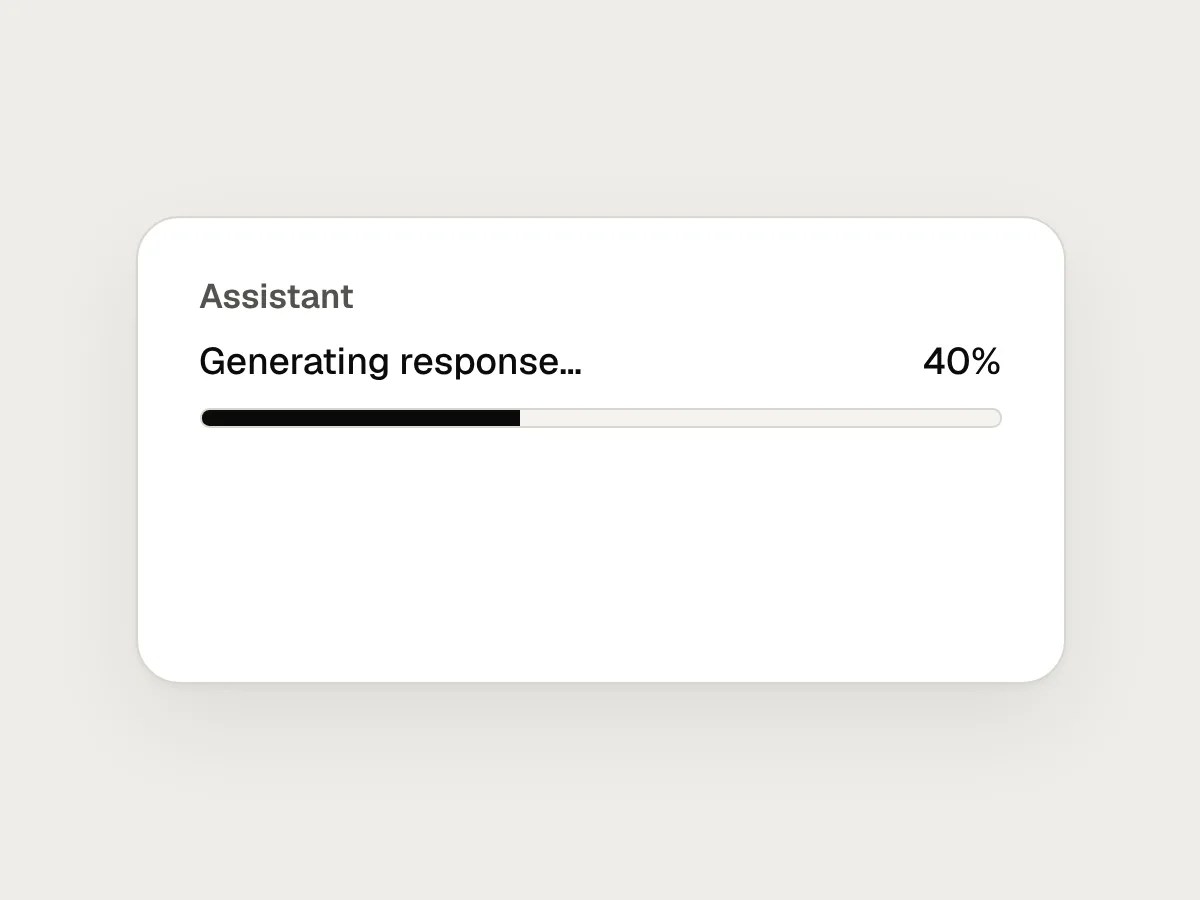
Don’t
A progress bar with a made-up percentage.
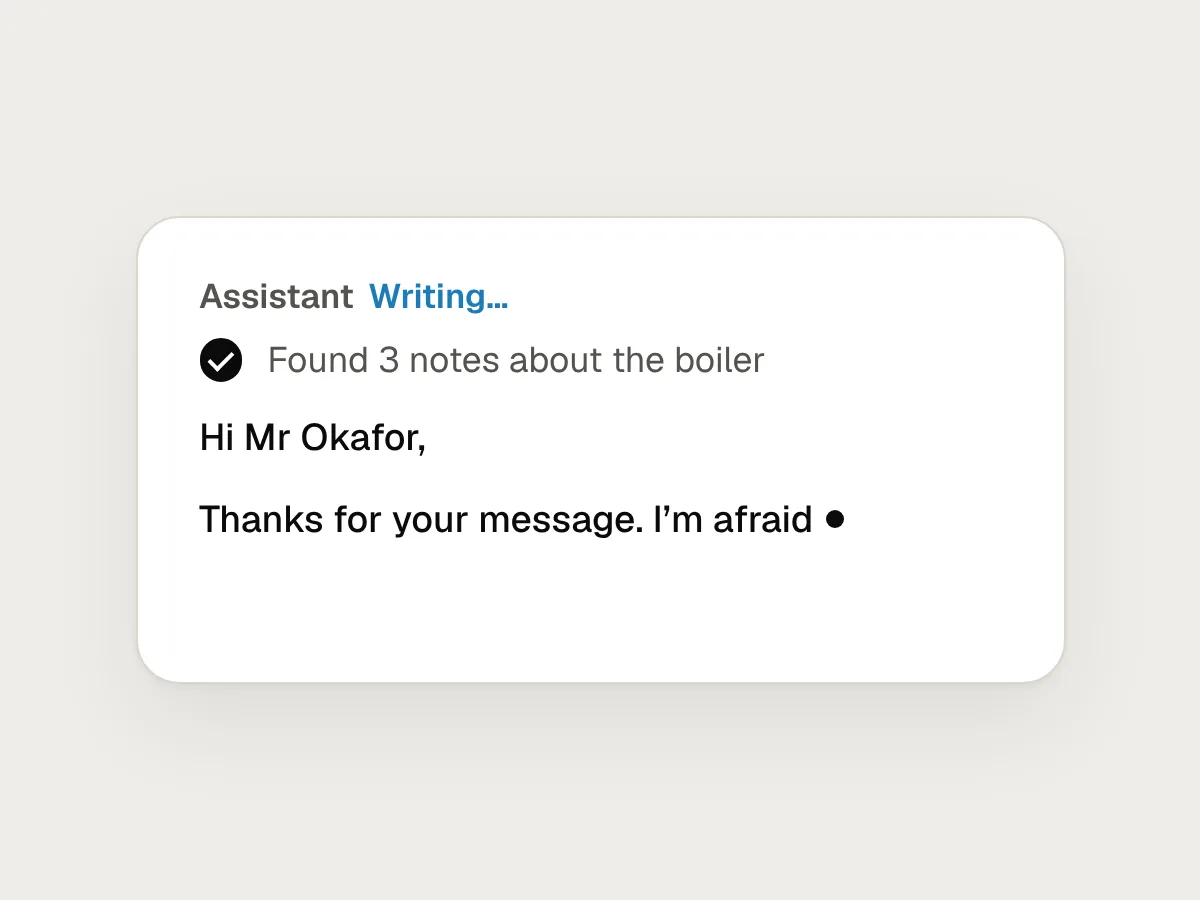
Do
Say what it’s doing within a second, then show the first words.
Don’t
Scrolling to the newest line while someone is reading.
Do
Follow only while they’re at the bottom. If they scroll up, stay put and offer Jump to latest.
Don’t
Greying out Send, with no way to stop.
Do
Turn Send into Stop while it writes, and keep what’s written when it stops.
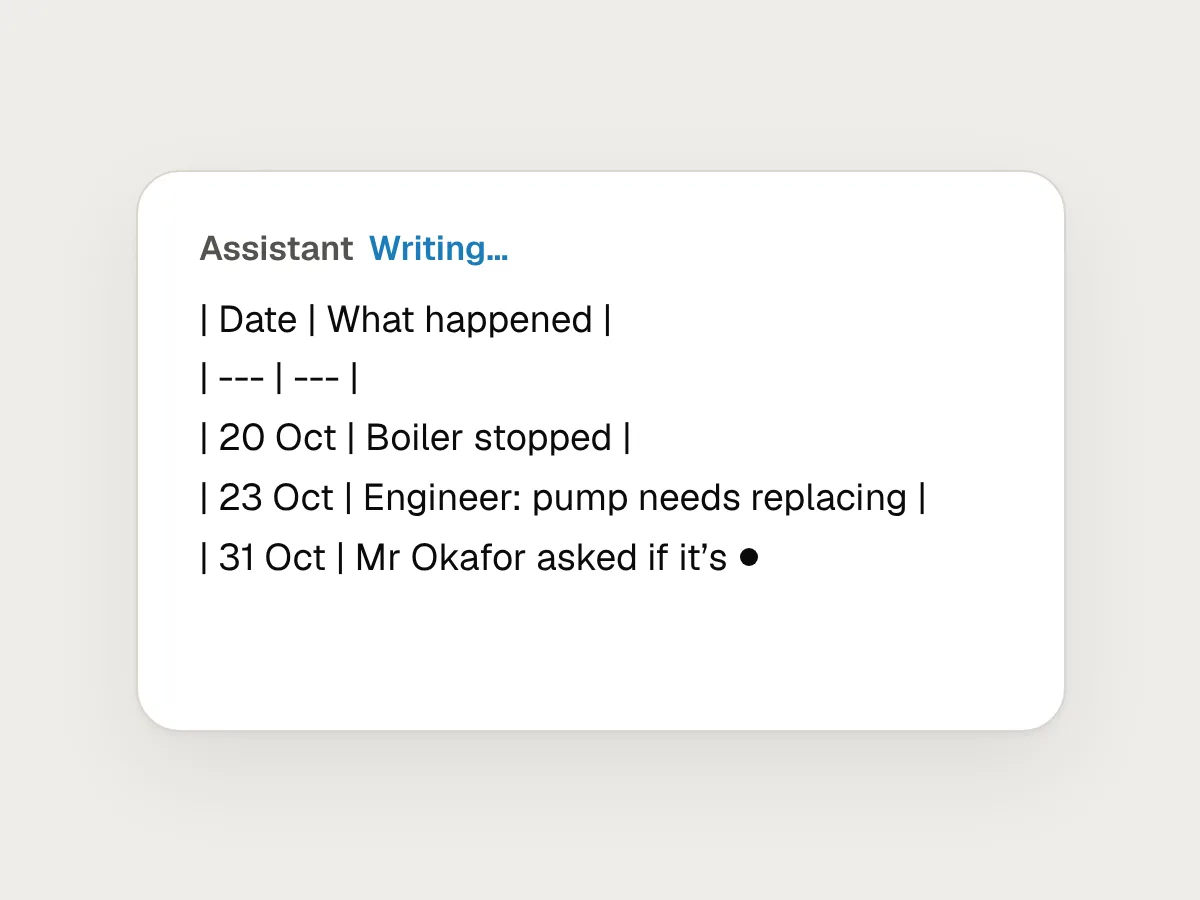
Don’t
Raw markdown that turns into a table at the end.
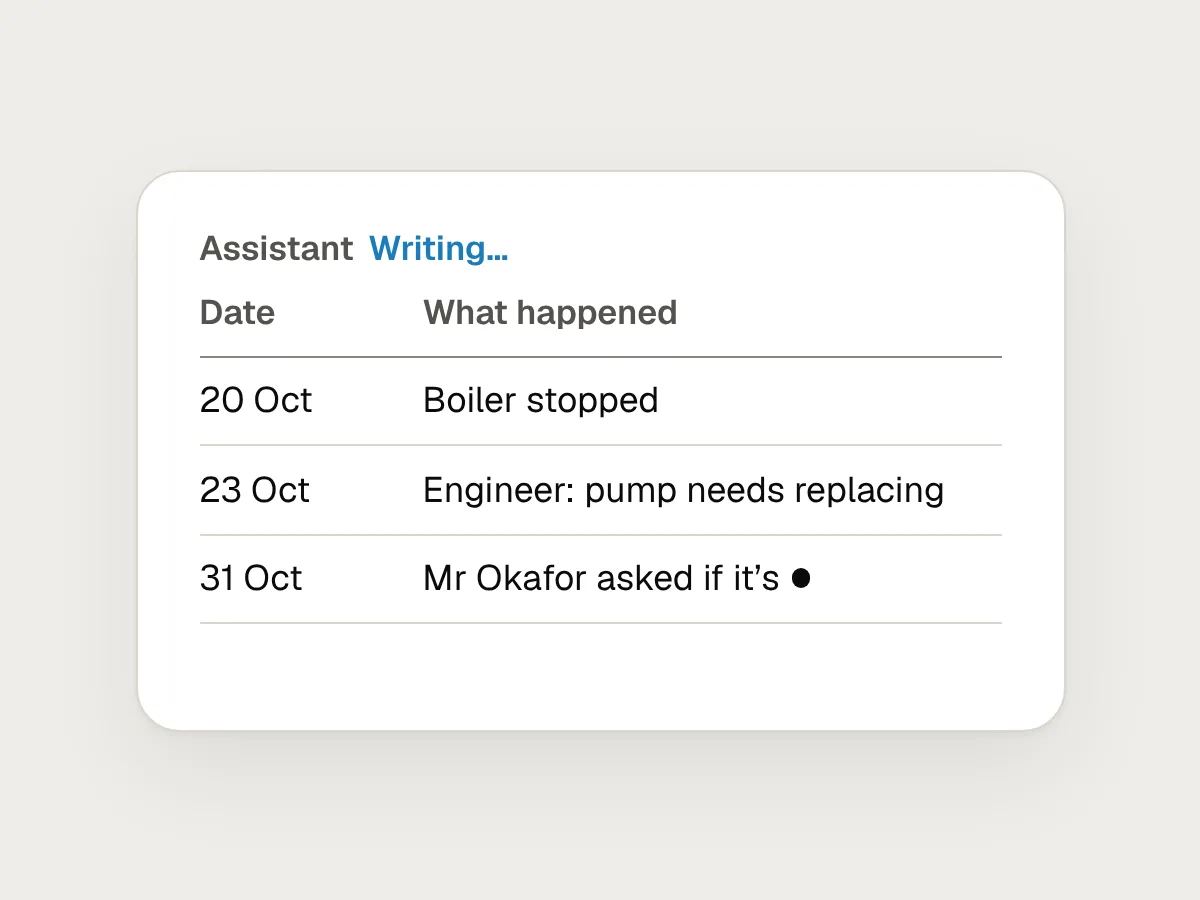
Do
Draw the table as soon as its header arrives, and add rows below.
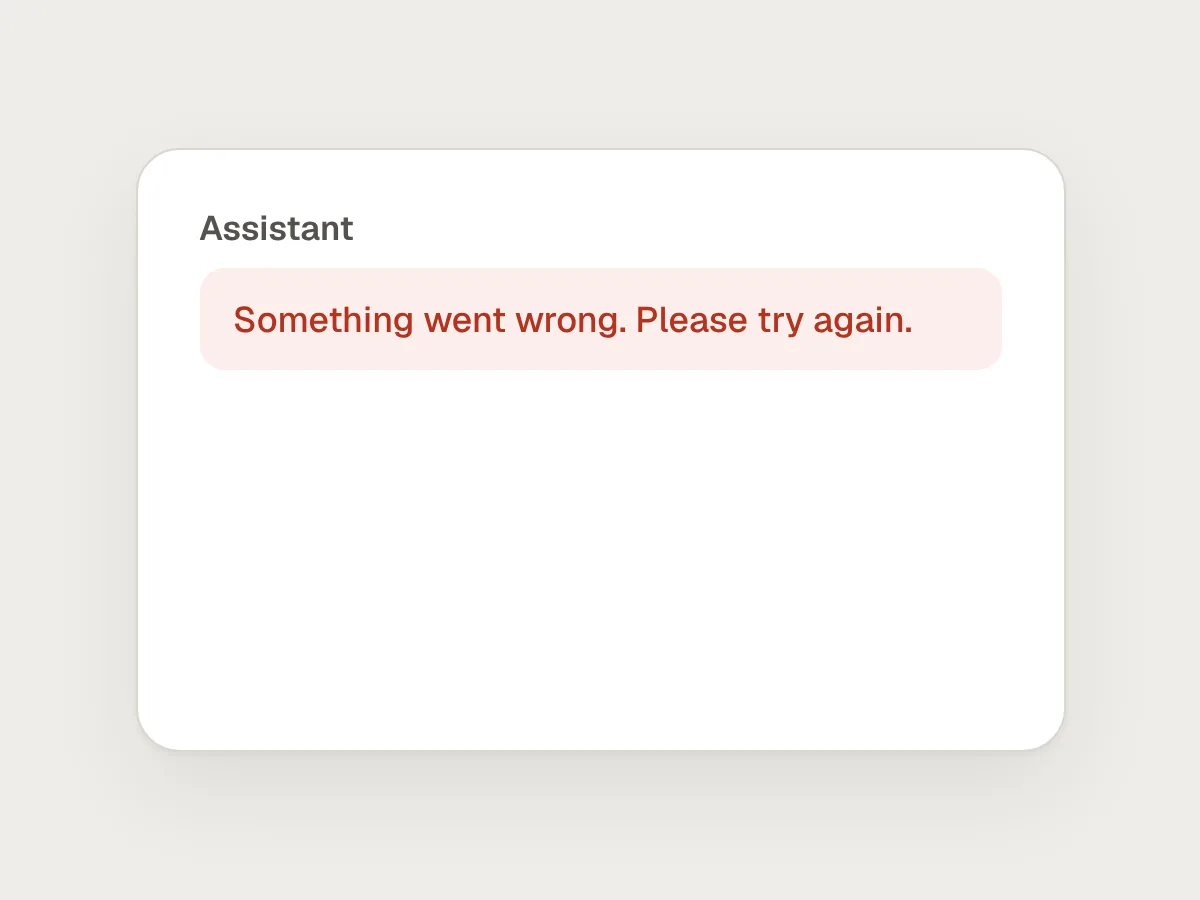
Don’t
An error that throws away the text that arrived.
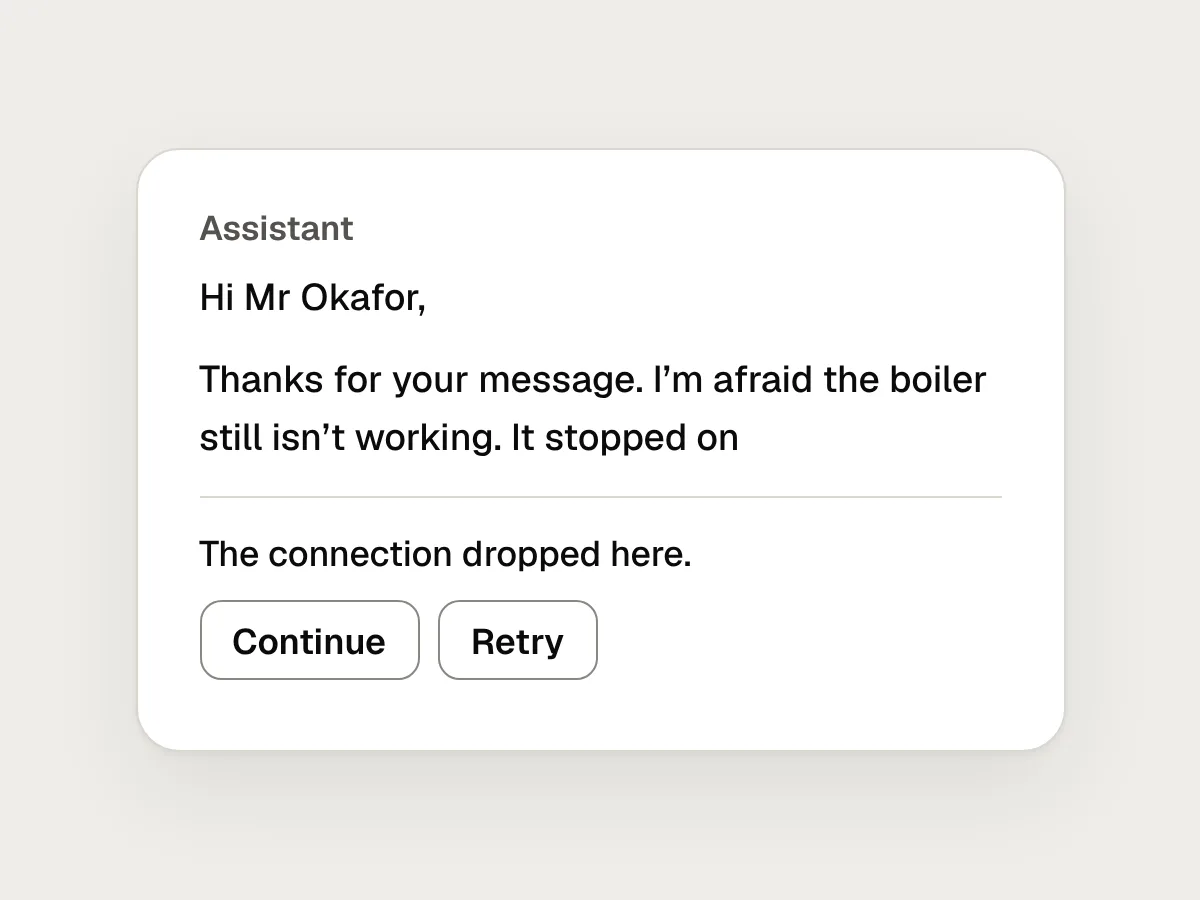
Do
Keep the text, say where it stopped, and offer Continue and Retry.
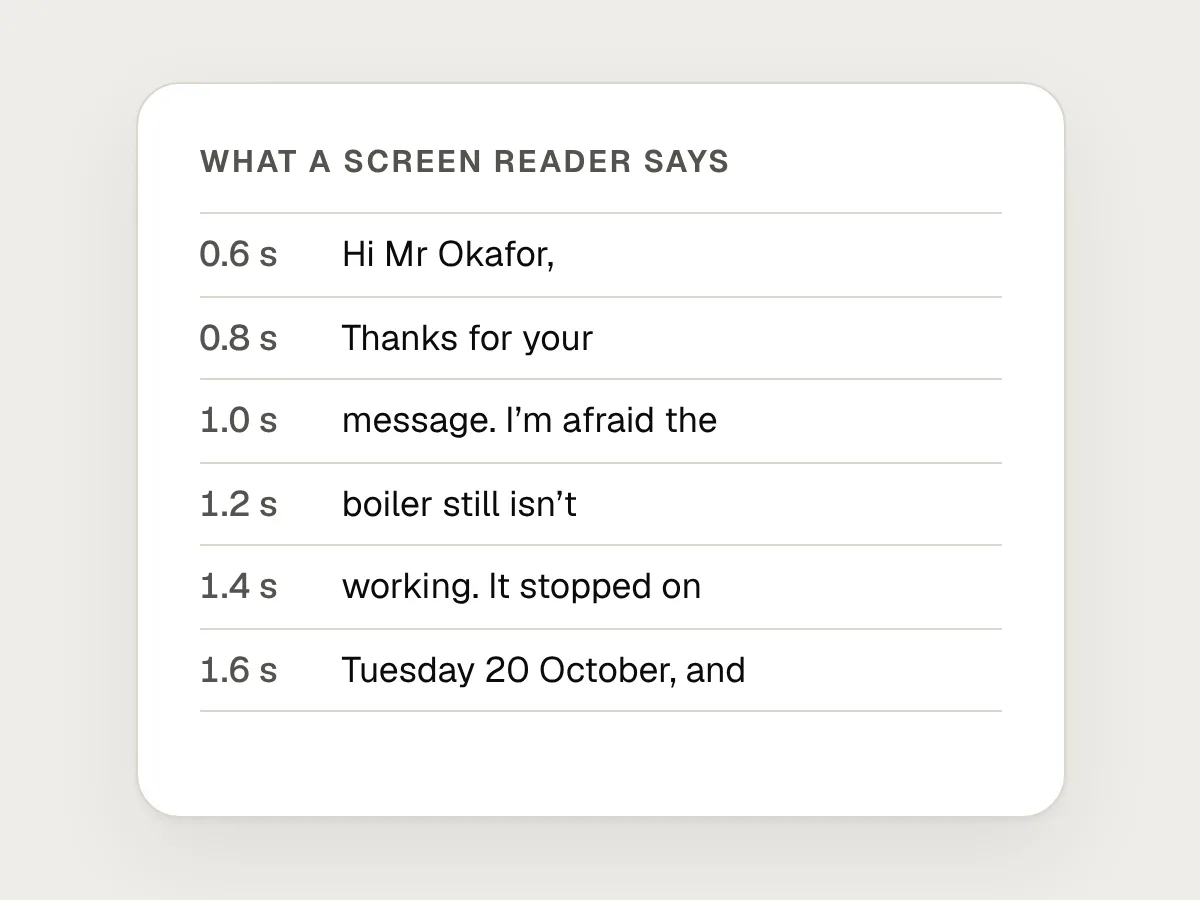
Don’t
Reading out every few words as they arrive.
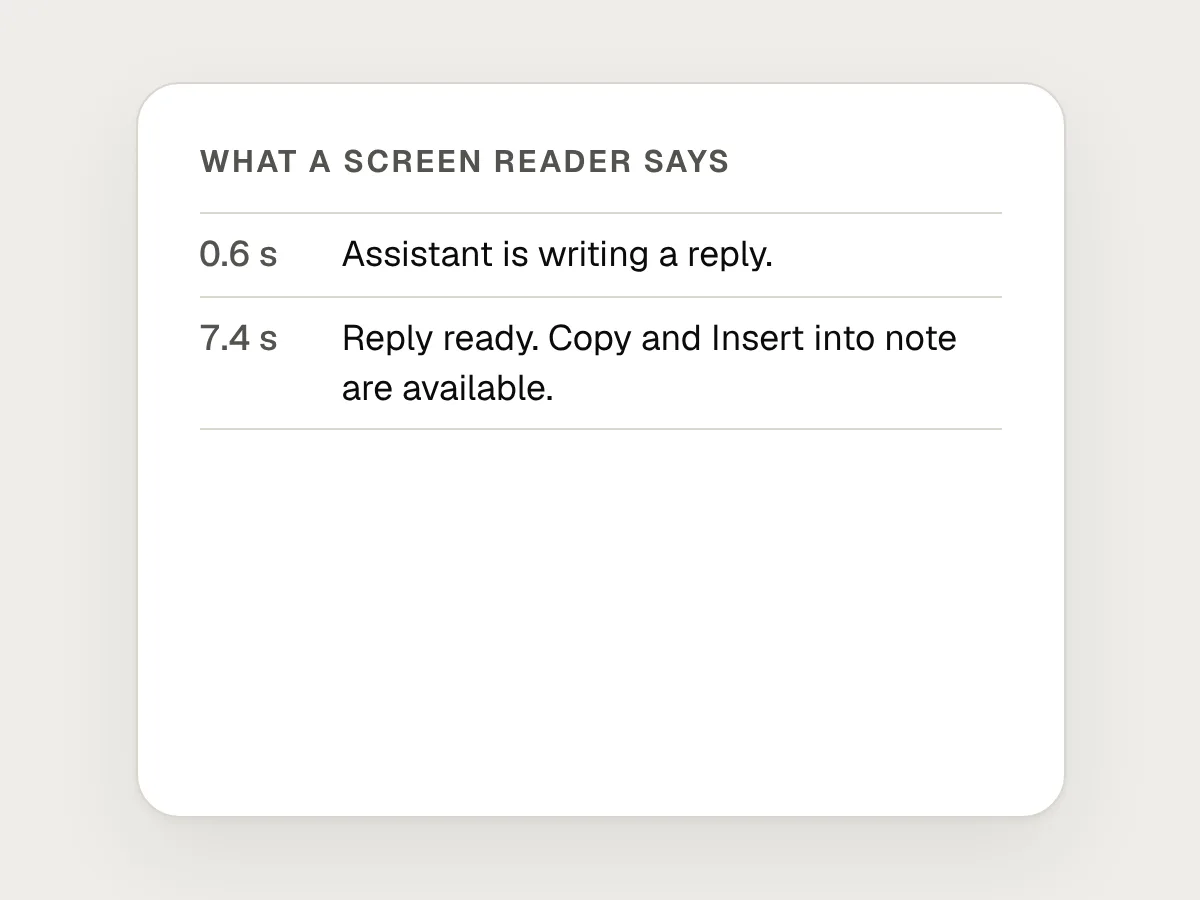
Do
Announce when it starts and when it’s done, and let people read the reply themselves.
Before you ship: a checklist
Questions people ask
What is a streaming response in AI?
An answer that appears as it’s generated, a few words at a time, instead of all at once at the end. People can start reading within a second or two, even when the whole answer takes much longer.
Should an AI chat scroll to the bottom automatically?
Only while the reader is already at the bottom. Once they scroll up, stop following and show a Jump to latest button.
How do you make streaming text accessible to screen readers?
Don’t read out every chunk through a live region. Announce when it starts and when it finishes, stops or fails, leave the answer as ordinary text, and test with real screen readers.
Should Copy work while the answer is still streaming?
Usually not. Hold Copy, Insert and Apply until the answer is complete, so nobody pastes half an answer. If you allow it, label it “Copy what’s written so far”.
Is streaming always better than showing the whole answer at once?
Not always. For short answers, or output that only makes sense whole, such as a filled-in form, a clear status and then the finished result can be calmer.
Resources
- 10 Guidelines for Designing Your Site’s AI Chatbots · Nielsen Norman Group
Includes the advice not to autoscroll people to the end of a response.
- The 3 Response Time Limits in Interaction Design · Nielsen Norman Group
Why the first second matters, and what changes after ten.
- Best practices to render streamed LLM responses · Chrome for Developers
Appending chunks, streaming markdown parsers and treating model output as untrusted.
- Response regeneration · Cloudscape Design System
Send becomes Stop, stopping is immediate, and a stopped answer can be regenerated.
- New to the web platform in September · web.dev
Scroll anchoring becomes Baseline with Safari 27.
- ARIA: aria-busy attribute · MDN
Marking a region that is still changing, so it isn’t announced in pieces.
If this was useful, share it with someone it would help.