How-to
How to use Claude for UX work: copy, research and critique
How to use Claude for UX work: rewrite interface copy, turn interview notes into themes, draft test tasks and get a second opinion on a screen.
· 7 min read · Musab Alfawal
On this page
Claude is an AI assistant made by Anthropic, and you use it by chatting with it at claude.ai. This guide shows how to use Claude for UX work: rewriting interface copy, sorting interview notes into themes, drafting test plans, critiquing screens and listing the states a design has to handle.
It is quick at first drafts and at finding patterns in a lot of text, and it doesn’t mind being asked for another, shorter version ten times. It can also be confidently wrong, and it has never met your users. Treat what it gives you as a draft from a fast colleague who hasn’t seen the research, and check it.
How to write a good prompt for UX copy
Interface copy is a good place to start, because you can judge the result in seconds. When the answer is useless, the prompt is usually the reason.
A good prompt for copy has three parts. The context: where the text appears, who reads it and what they were trying to do. The constraints: length, tone, reading level and anything the text must say. And the original text, pasted in full, so nothing is guessed.
Write the constraints as rules you can check. “Friendly” is hard to judge. “One sentence, under 12 words, say how to fix it” is easy, because you can count the words and see whether the fix is there.
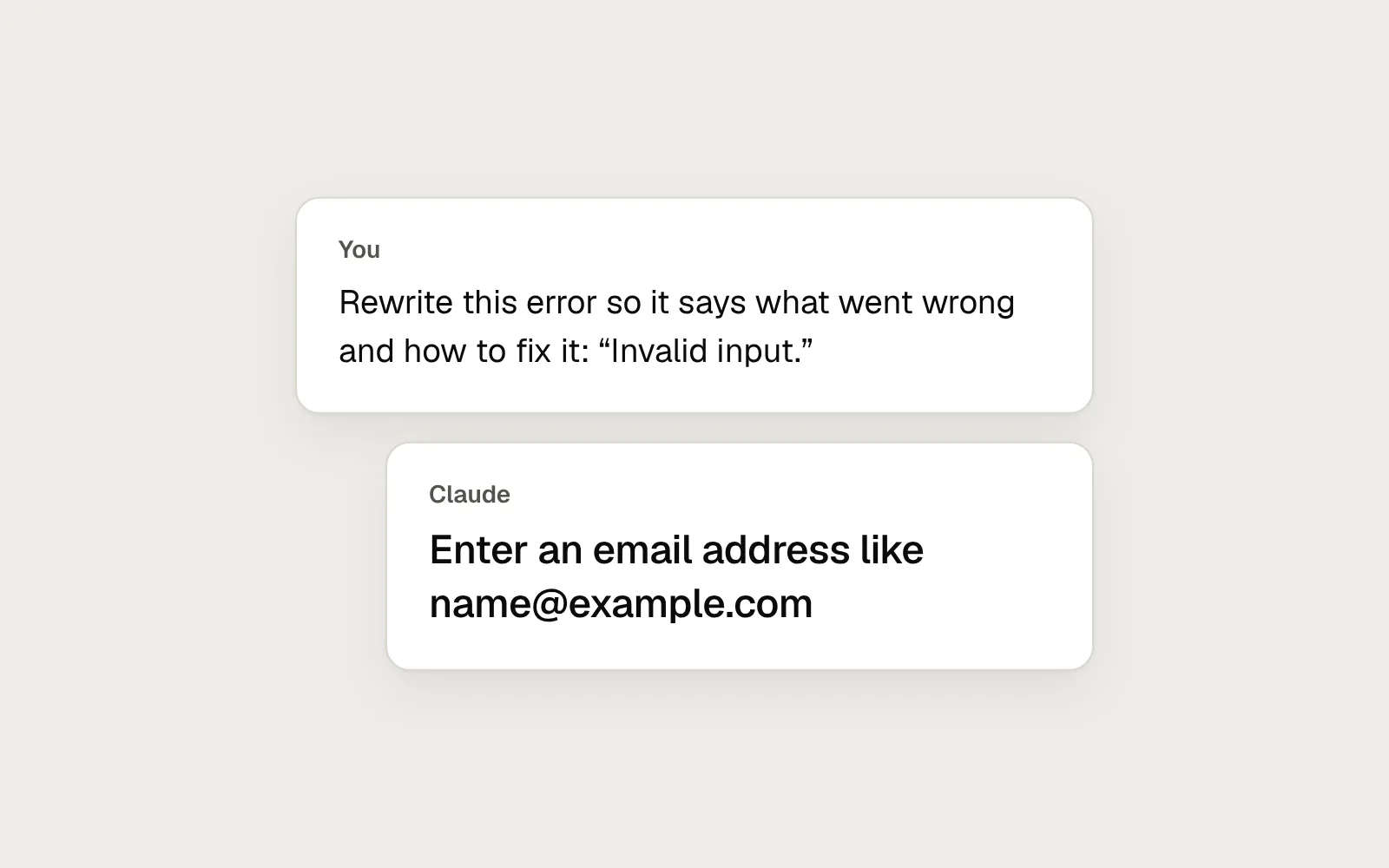
For an error message, a full prompt might read: “Rewrite this error for the email field on our sign-up form. The people filling it in are members of the public, many of them on a phone. Keep it to one sentence, under 12 words, in plain English, and say how to fix the problem. Original: Invalid input.”
Here is a prompt with its context and limits, and the short reply it gets back.
A vague prompt and a specific one
Here is the same request twice. The first gives Claude nothing to work with, so it falls back on generic options. The second gives it the field, the limits and the original text, and gets one answer that meets them.
Before
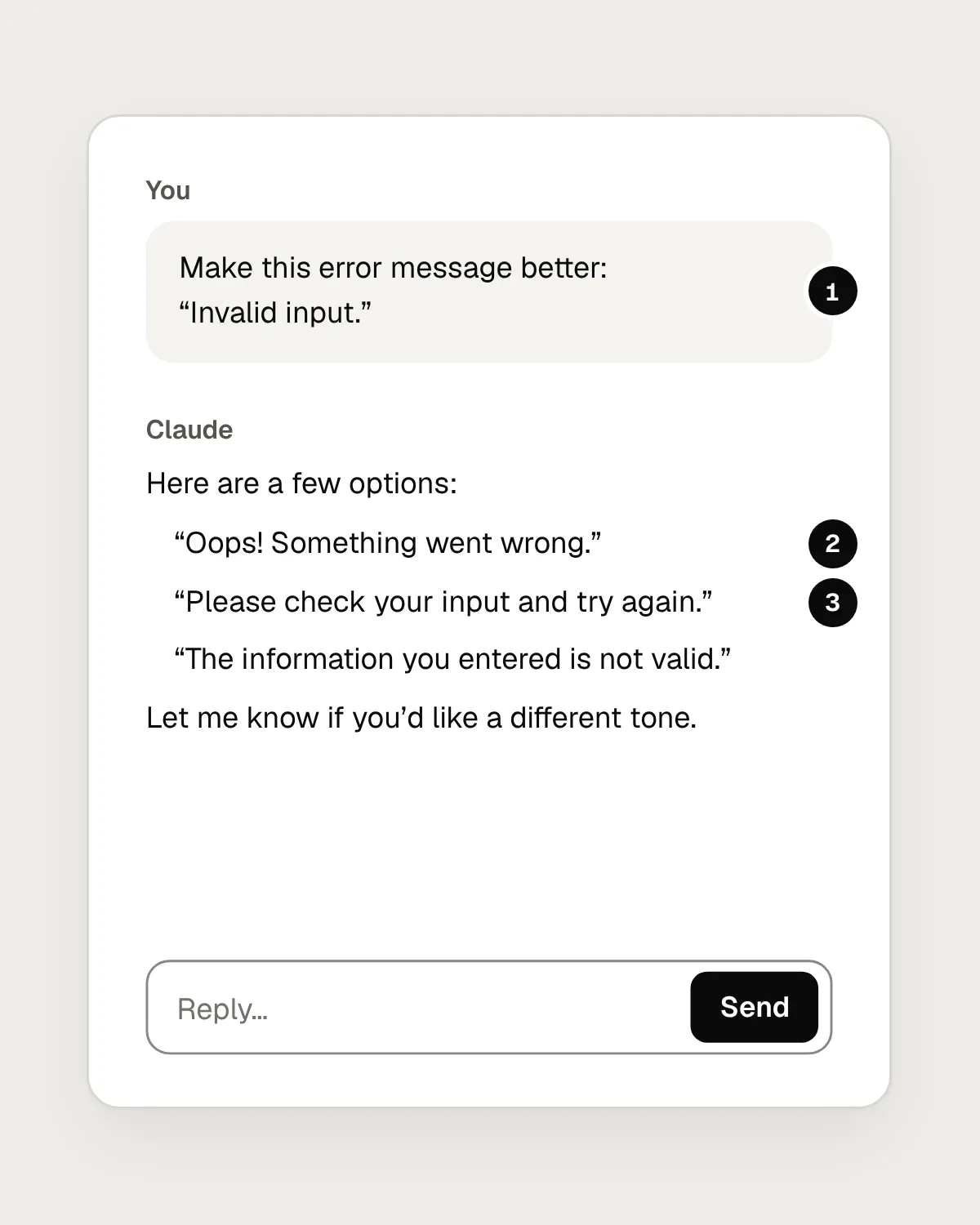
- No context. Claude can’t tell which field this is, where it appears or who reads it.
- A friendlier tone that still doesn’t say what went wrong.
- Generic advice. The person still has to guess what to change.
After
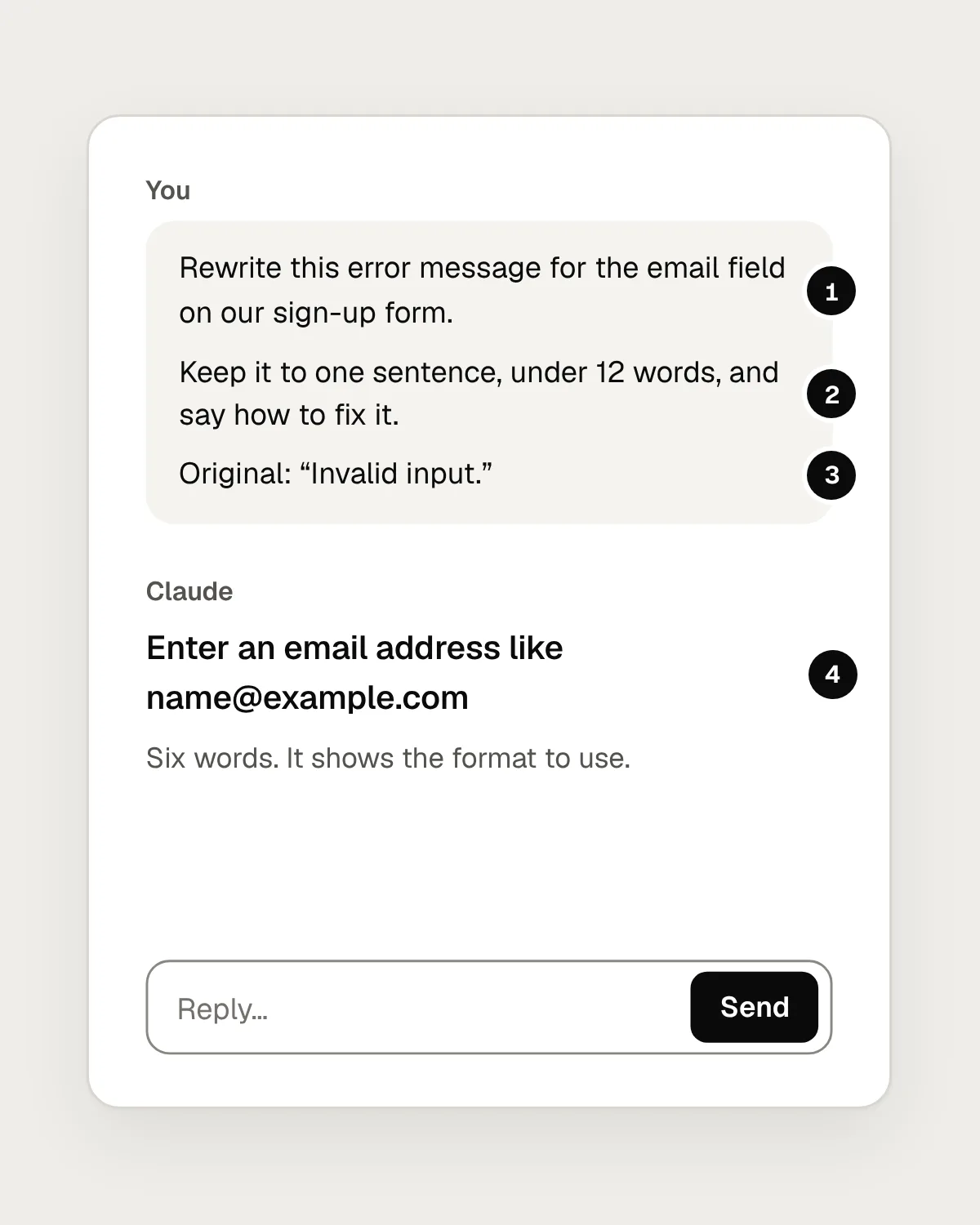
- The context: which field, on which form.
- The constraints, written so you can check the reply against them.
- The original text, pasted in full.
- One answer that meets every constraint and says how to fix the error.
How to use Claude for UX research notes
Claude can read a long set of interview notes and suggest themes faster than you can reread them. Done carefully, this saves hours. Done carelessly, it produces tidy themes that your participants never expressed.
Remove names and personal details before you upload anything: names, email addresses, employers, locations and anything else that could identify a participant. Check what your consent forms and your organisation allow, too.
Then ask for themes with their evidence. A useful prompt: “These are notes from eight interviews about booking appointments, one section per participant, labelled P1 to P8. Suggest up to six themes. For each theme, write a one-sentence summary and give two or three direct quotes with the participant label. Only use quotes that appear word for word in the notes. Then list anything that didn’t fit a theme.”
Keep the source notes open and check every theme against them. Find each quote in the notes. Read the notes that ended up in no theme, because the surprises tend to sit there. If a theme rests on one participant, it is an anecdote, however neatly it is worded.
Draft usability-test tasks and screener questions
Writing tasks that don’t give away the answer is fiddly, and a first draft helps. Describe the product, the goal of the study and who you want to test with, then ask for tasks written as realistic scenarios: “Write five usability-test tasks for a dentist’s booking website. The goal is to see whether people can find and book the first free appointment. Write each task as a short scenario in plain English, and don’t use the words on our buttons or menus.”
Screener questions work the same way. Ask for questions that find the right people without hinting at what you are looking for, and ask Claude to point out any question that leads the answer. Then read every question yourself. A screener that lets the wrong people through weakens every session that follows.
Ask for a heuristic critique of a screen
Claude can read images, so you can upload a screenshot and ask for a review. Name the standard you want it to use, such as Nielsen’s ten usability heuristics, and say who the screen is for: “This is the checkout page of a grocery app, used mostly on phones by people in a hurry. Review it against Nielsen’s ten usability heuristics. For each problem, name the heuristic, say where it is on the screen and how serious it is.”
Treat the result as a second opinion. It will spot some real problems, miss others and now and then describe something that isn’t on the screen. Its value is in making you look again at parts you had stopped seeing.
List the edge cases and states
Designs tend to show the happy path: a short name, a full list, a fast connection. Claude is good at listing everything else. Describe the screen, or upload it, and ask: “List the states and edge cases this screen needs to handle. Include empty, loading, error and offline states, very long names, missing images and anything else that could break the layout.”
Go through the list with your developer and decide which states you will design now. The ones you skip will still happen to real people, just without a design.
Set Claude up for ongoing work
If you use Claude on the same product every week, a project saves you from explaining it every time. A project keeps your instructions and files together, so each new chat inside it starts with the same background.
1. Create a project for the product
Give it a clear name, so chats about one product don’t mix with another.
2. Add the context once
Write project instructions about the product, the audience and your tone of voice. Add your style guide or content rules as files.
3. Ask for one thing at a time
In each chat, give the context, the constraints and the original text, and say what form you want the answer in.
4. Push back with specifics
Say what is wrong with a draft and ask again. “Shorter” works better with a word limit, and “less formal” works better with an example.
5. Check against the source
Compare every quote, theme and claim with your notes, your screens and your users before it goes anywhere.
What it can’t do for you
Claude has never used your product or watched someone struggle with it. Everything it says about your users is a guess built from what you gave it and what it has read elsewhere. Those guesses can point your research somewhere useful, and real users still have to confirm them.
It can also sound certain about things that are wrong: a quote that isn’t quite in the notes, a heuristic that doesn’t apply, an element it thinks it saw in a screenshot. The more fluent the answer, the easier this is to miss.
Before you use the output: a checklist
Questions people ask
Can Claude replace user research?
No. It can help you plan research and sort what you collect, but it has never met your users. Treat its ideas about them as questions to take into your next round of research.
Is it safe to upload interview notes to Claude?
Remove names and anything else that identifies a participant first. Then check your consent forms, your organisation’s rules on AI tools and Anthropic’s privacy information for your plan.
Can Claude read screenshots and design files?
It can read images you upload, such as screenshots and exported frames, and documents such as PDFs. Export screens at a size where the text is easy to read, because it can only judge what it can see.
Resources
- What are projects? · Anthropic Help Centre
How projects keep instructions and files together.
- Be clear and direct · Anthropic documentation
Anthropic’s own advice on giving Claude enough context.
- 10 usability heuristics for user interface design · Nielsen Norman Group
The heuristics to name when you ask for a critique.
- How to analyze qualitative data from UX research: thematic analysis · Nielsen Norman Group
The method to check Claude’s themes against.
- Turn user goals into task scenarios for usability testing · Nielsen Norman Group
How to write test tasks that don’t give away the answer.
If this was useful, share it with someone it would help.